
Is Your Website Out of Date? 8 Signs and How to Check Them

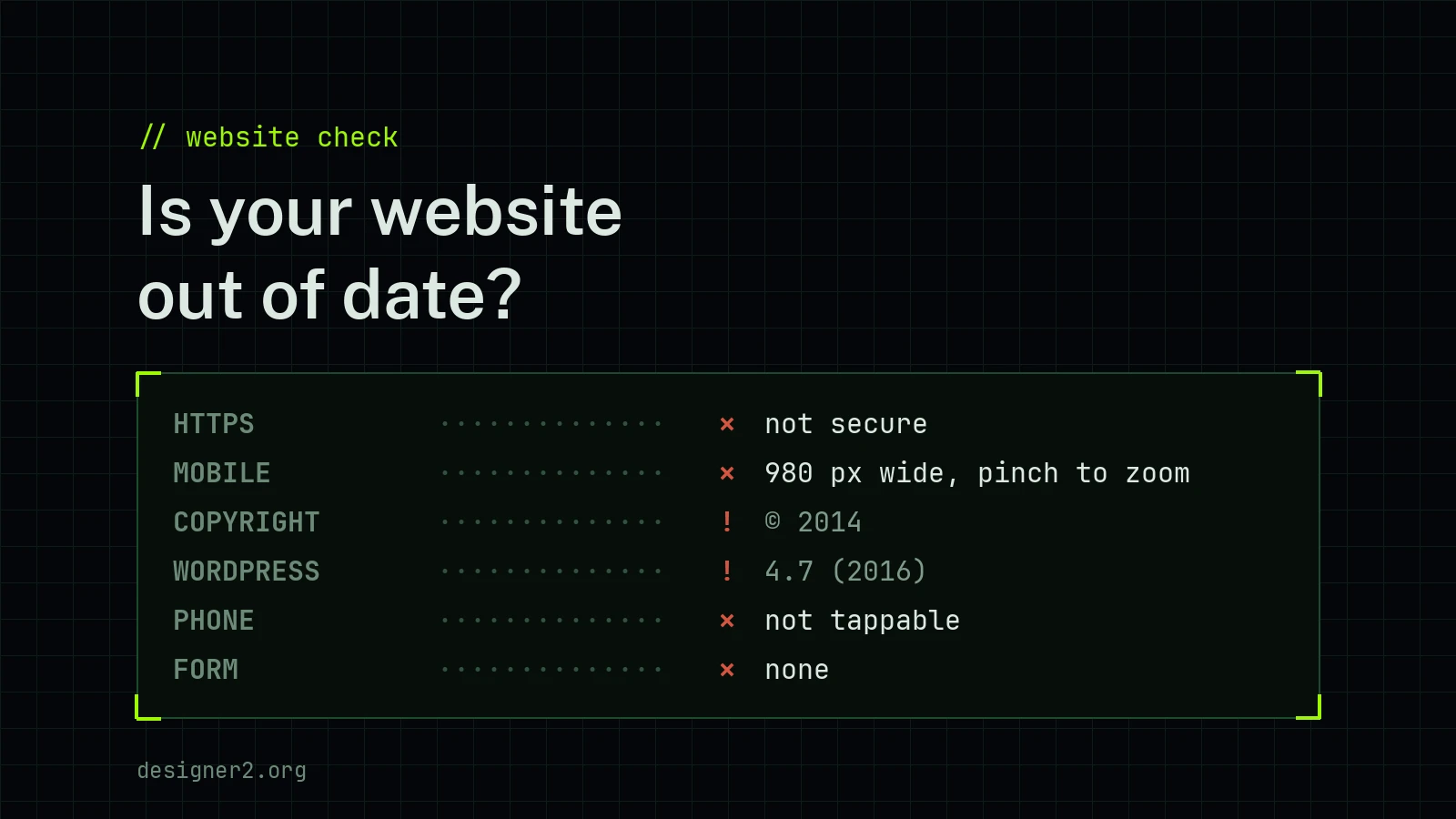
Over the past month we looked at more than two hundred websites of small Croatian businesses: travel agencies, holiday apartments, repair shops, manufacturers and stores. Many of them had not been touched in years. The business is still running and the phone still rings, but the website looks like it stopped in 2015.
An outdated site is not just about looks. A customer who finds you on Google decides within seconds, and usually on a phone. These are the signs we found most often.
1. The browser says “Not secure”
If the address starts with http:// instead of https://, Chrome shows “Not secure” next to the address. If the certificate has expired, it is even worse: the browser shows a full-page warning before anyone gets in. Many people stop there and go back to Google. Most hosting providers now include a free certificate, so this is easy to fix.
2. You have to zoom on a phone
The most common problem: the site was built for a desktop screen, about 1,000 pixels wide, so on a phone everything is tiny. The text cannot be read without zooming, and on some sites zooming is even switched off. For most sites, more than half of all visits now come from phones, and Google judges a site by how it works on a phone.
3. An old year and old news
“© 2014” in the footer, the latest news from 2017, a special offer that ended in 2020, or a GDPR notice saying it “comes into force on May 25, 2018”. A customer concludes the business may no longer exist.
4. The phone number cannot be tapped
The number is plain text, so on a phone it has to be copied by hand. Or the page says “send us an inquiry” and there is no form anywhere. Every extra step loses some customers.
5. An old system and plugins with no updates
WordPress 4.7 from 2016, Magento 1, old Joomla versions or jQuery 1.7: these versions have known security holes. On one of these sites we found hidden links to other websites, planted without the owner knowing. Google can flag such a site as hacked or push it down in results.
6. Every page has the same title
Every page shows the same title in the browser tab and on Google, often just the company name, with no description. Google then cannot tell which page to show for what, so people do not find you when they search for exactly what you sell.
7. Small broken parts
Language flags that lead nowhere, images that do not load, a logo that disappears on a phone, two cookie notices on top of each other, typos in the menu. None of these is terrible on its own, but together they say nobody is looking after the site.
8. The site is slow
Photos of several megabytes, a layout built with tables, a dozen scripts loading one after another. On a mobile network such a page takes five to ten seconds to open, and many people do not wait.
How to check in five minutes
- Open your site on a phone. Can you read everything without zooming? Can a customer call you with one tap?
- Look at the address bar on a computer. Does it say “Not secure”?
- Enter your address in PageSpeed Insights. You get a speed score for mobile and desktop.
- Look at the footer and the latest news. What year do they show?
- Search Google for site:yourdomain.com and see how your pages appear in the results.
Fix it or build a new one?
You do not always have to start over. A certificate, a tappable phone number or page titles can be fixed in an hour or two. But if the site is not mobile-friendly and runs on a ten-year-old system, fixes rarely pay off: a new site is often cheaper than patching the old one.
We usually build a smaller site for a small business in one to two weeks once we have your texts and photos. We work on a test address first, and your current site, domain and email keep working until you approve the new one. If you are not sure what state your site is in, get in touch and we will take a look for free. More on how we work: websites and online shops.