CESTE 2027: Website and Management System for an International Road Conference

CESTE is an international road conference with more than half a century of history. It brings together scientists, designers, contractors, road operators and ministry officials from Croatia and abroad. The 51st edition takes place in March 2027 at Pical Resort in Poreč, organised by Plenoria from Zagreb. The old website ran on WordPress and did little more than display information. Registrations, proforma invoices, author papers, sponsors and the list of people at the door were all handled by hand, in e-mails and spreadsheets. For Plenoria I designed and built a new site worthy of a serious international event, with a system behind it that does that work instead of people.
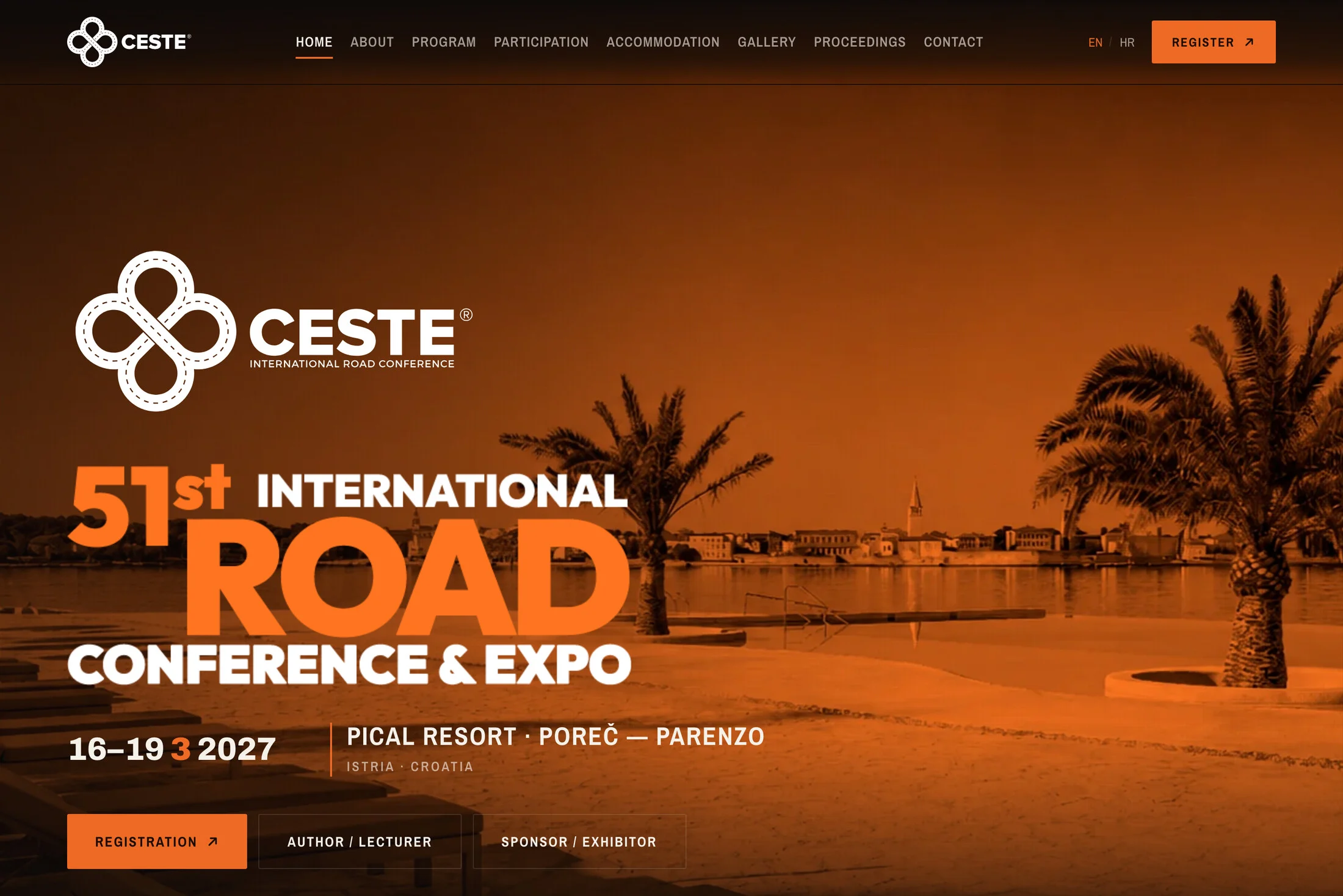
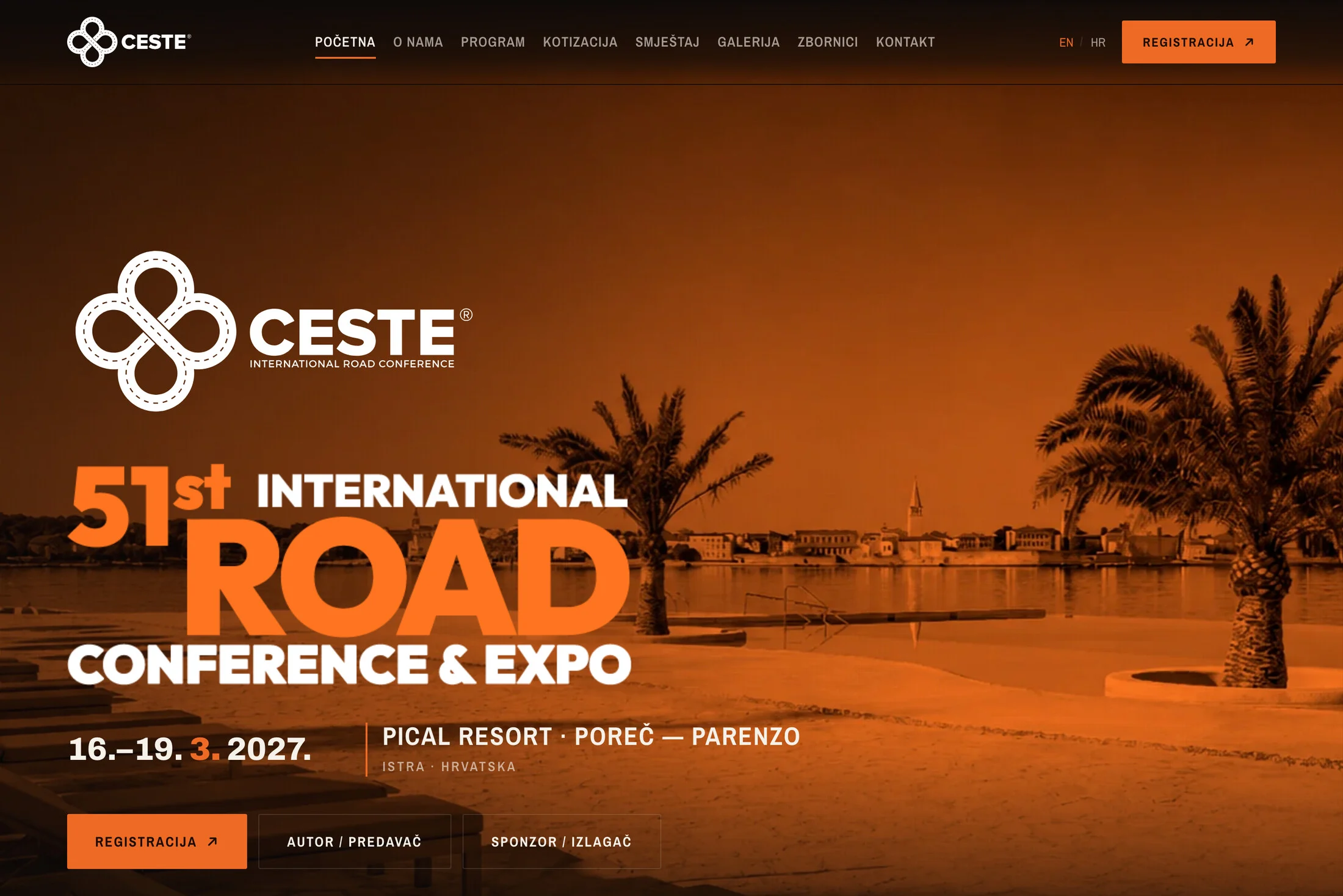
The visual language rests on a dark ground and a single orange. Photographs of the hotel, of Poreč and of past conferences all pass through the same orange duotone, so images from different years and sources read as one series. The homepage works like a poster: the conference name set large, the date and venue, and right below them a countdown to the opening. Typography is loud in the headlines and calm in the body text. Content reveals itself as the page scrolls, enough to make the site feel alive but never enough to get in the way of reading.
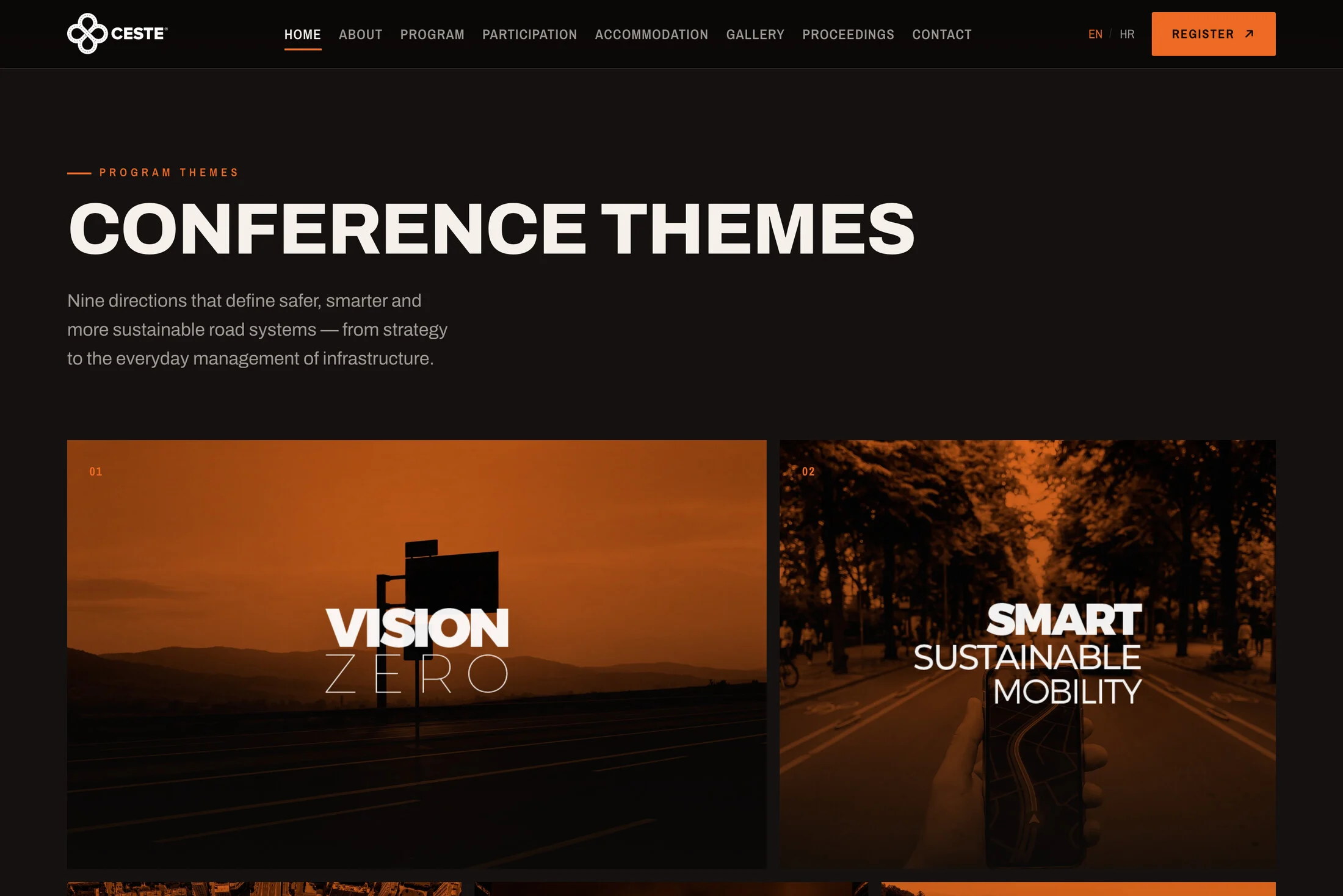
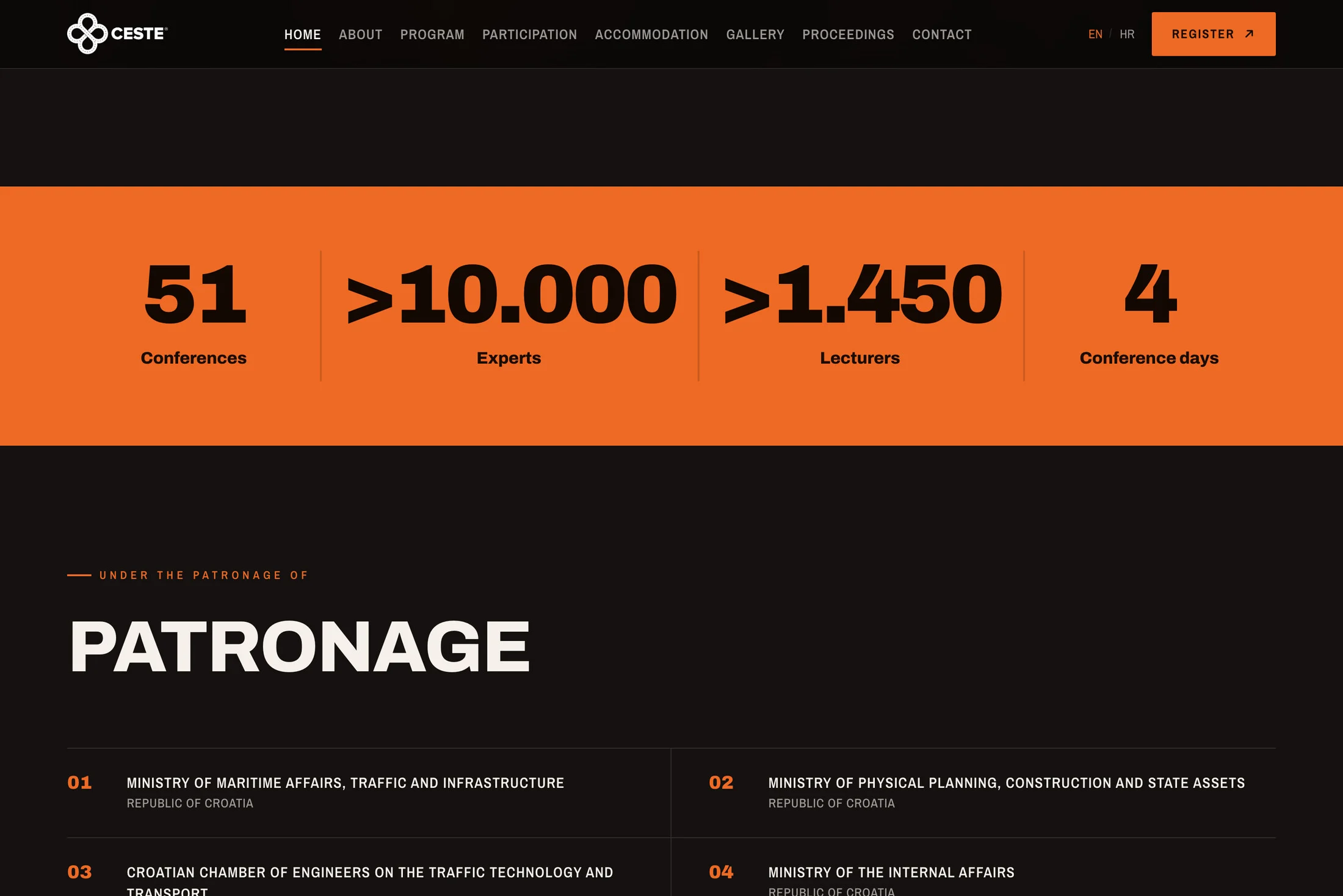
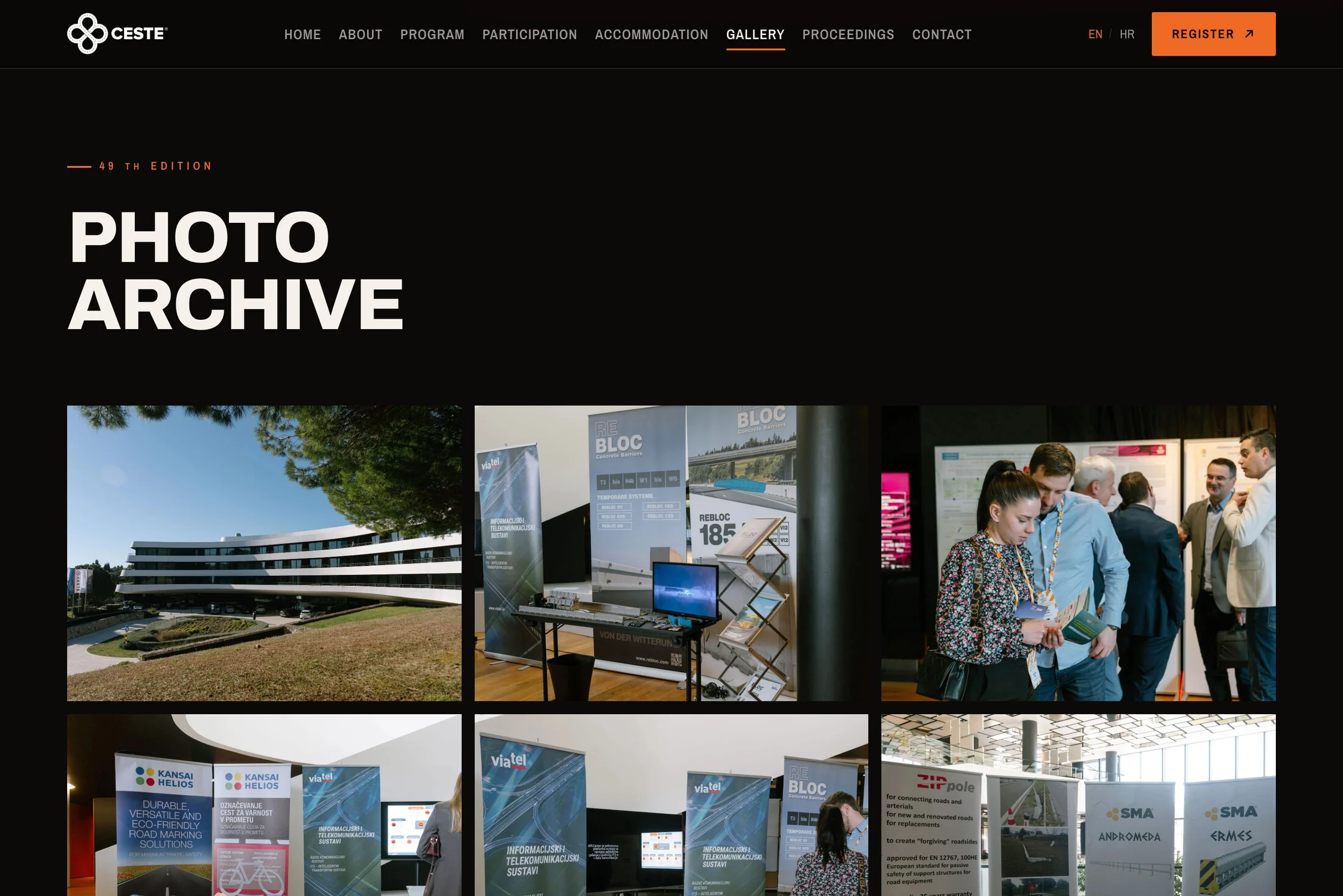
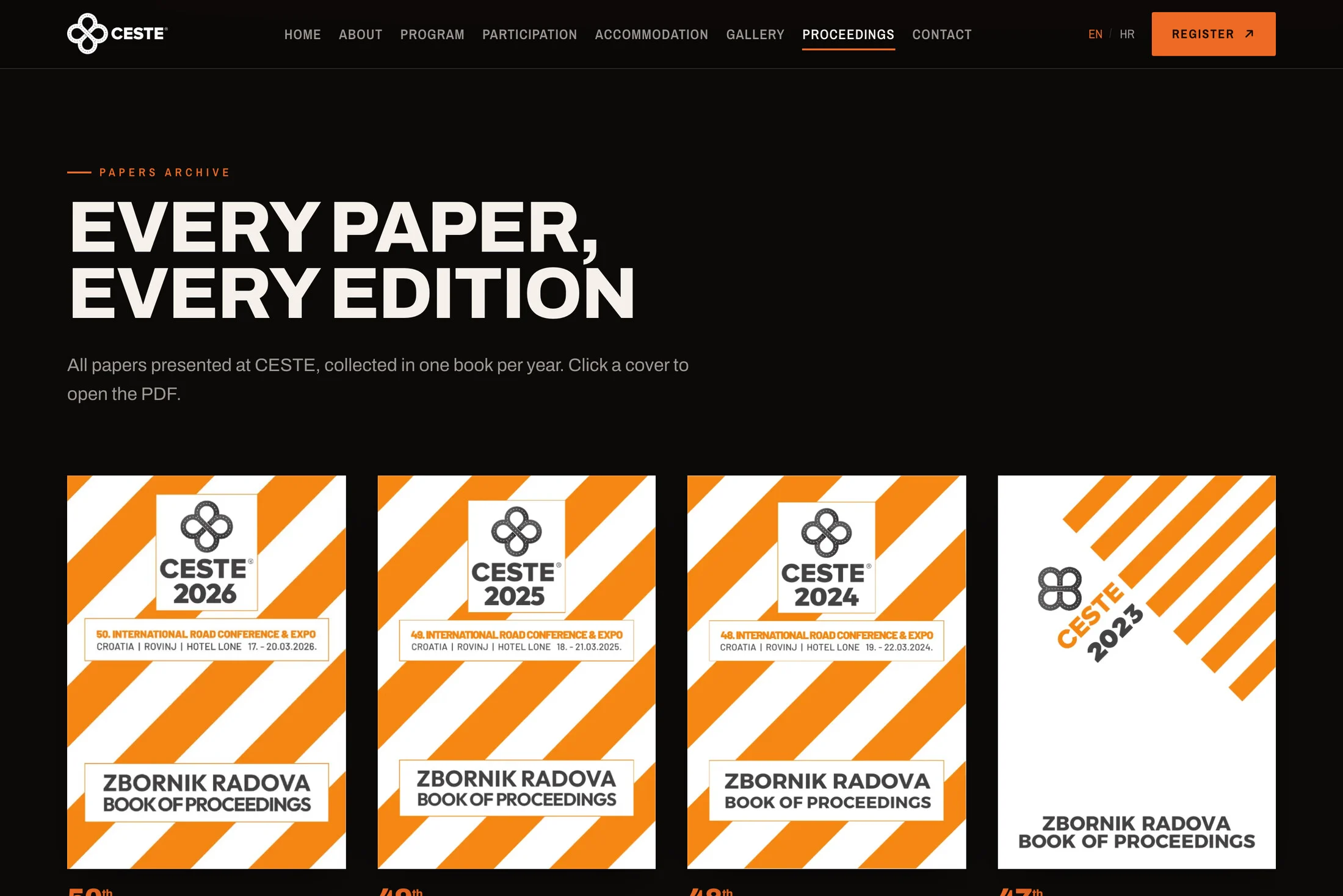
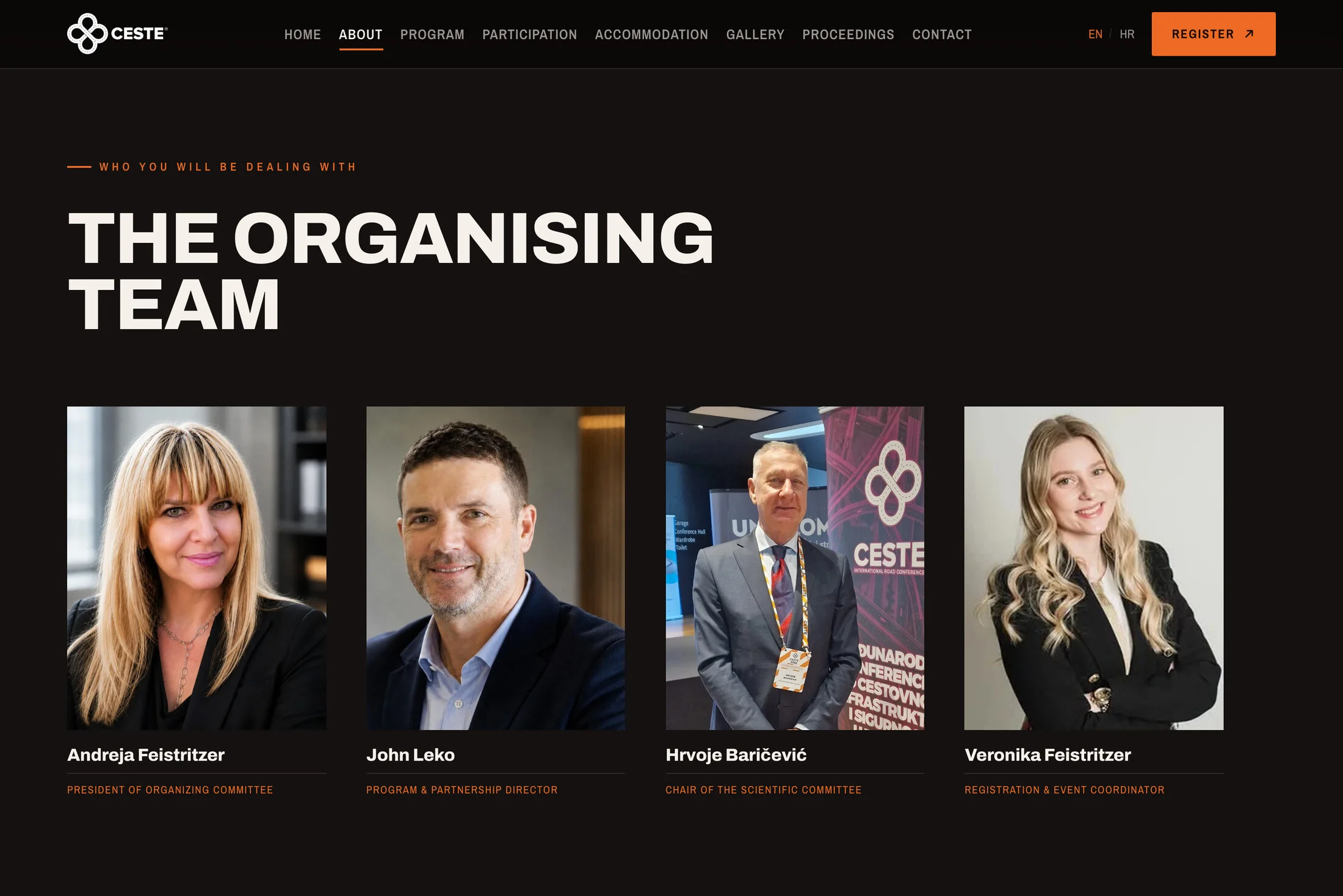
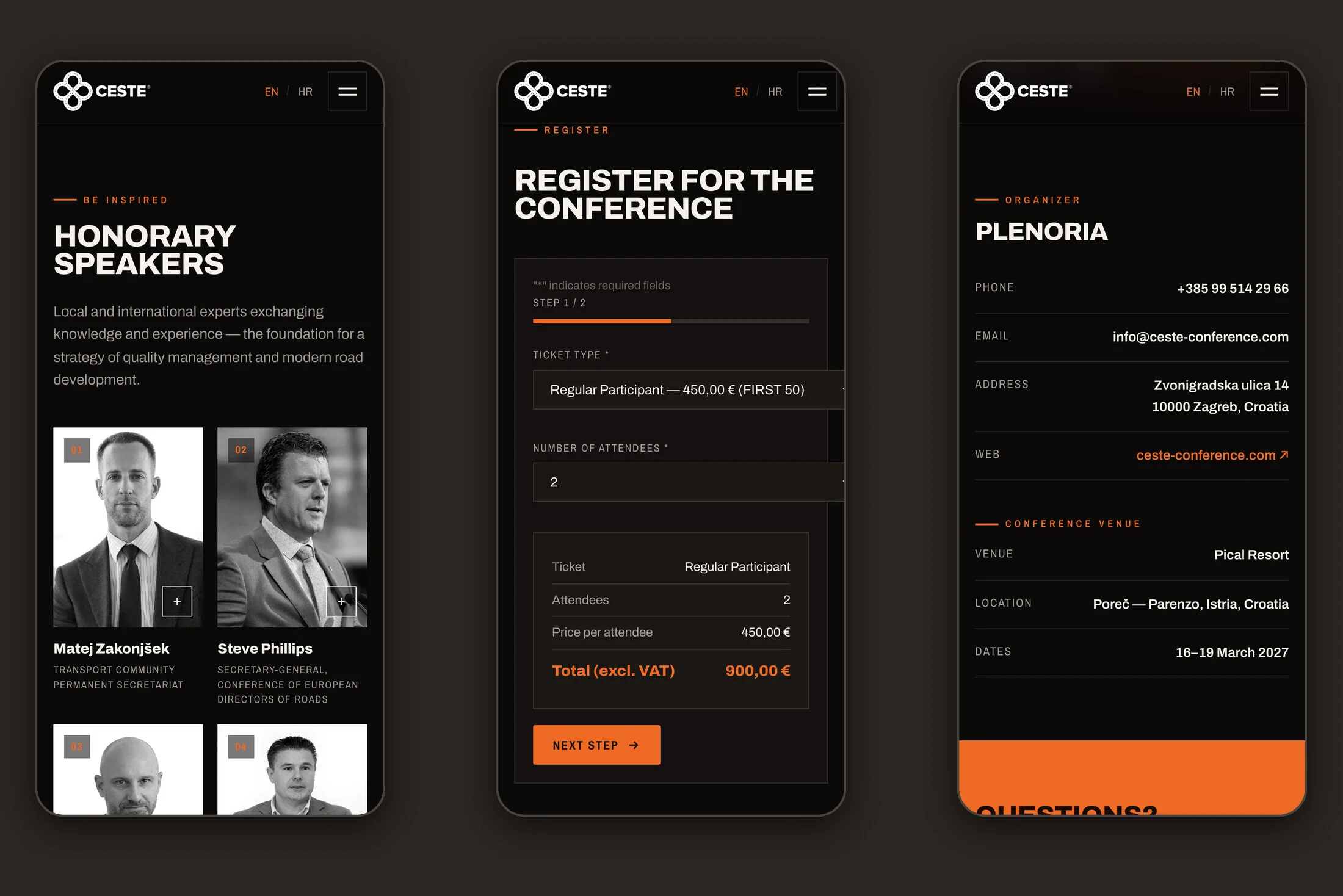
Visitors find everything they need before travelling to Poreč. The conference themes have their own illustrations and the honorary speakers have cards with biographies. There are the patronages of ministries and universities, the programme day by day, accommodation and the organising team. The photo archive walks through past editions year by year. The Proceedings page holds the books of proceedings from earlier conferences, and each one opens with a click on its cover. Every address from the old site now redirects to its new page, so nothing search engines had remembered for years was lost.
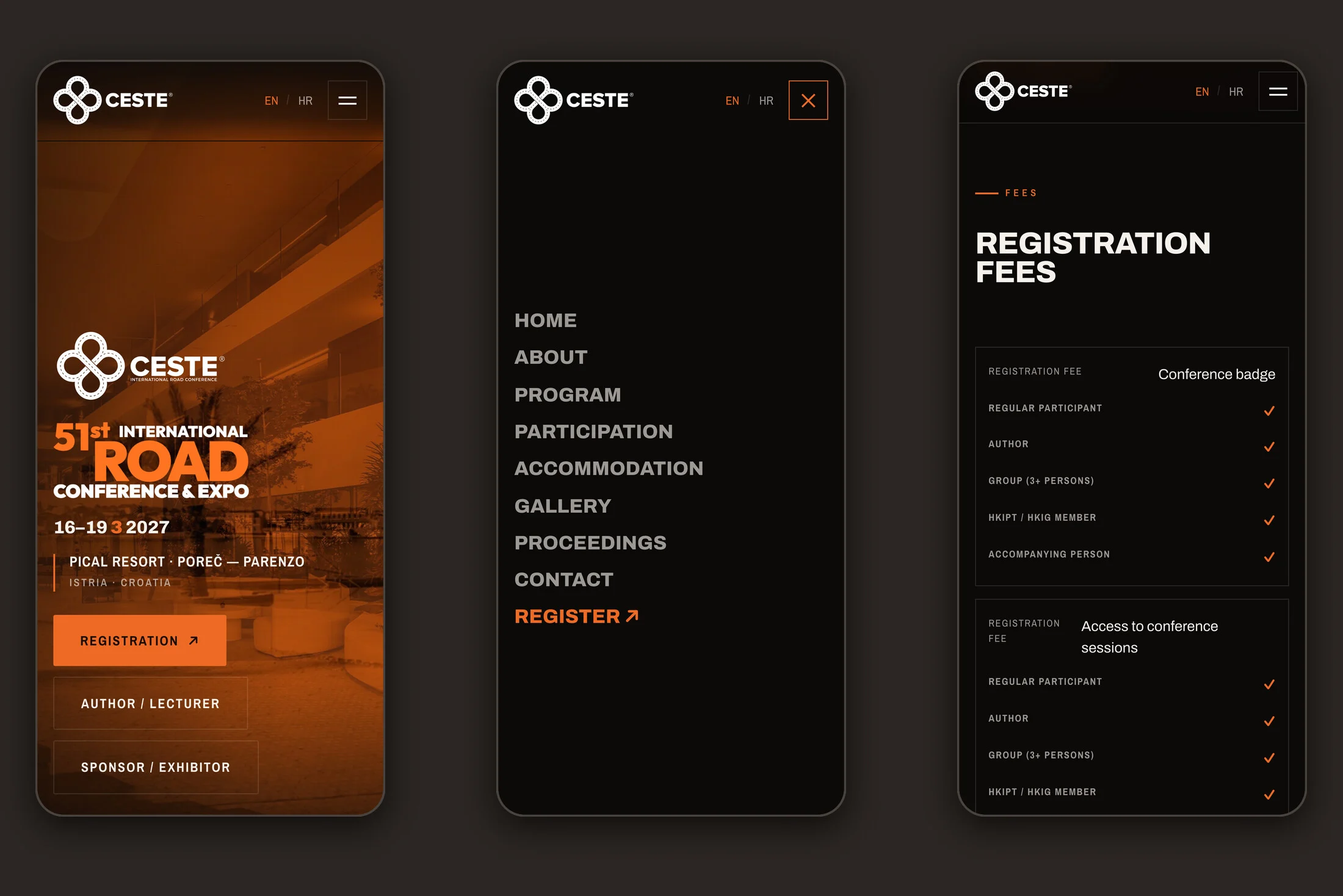
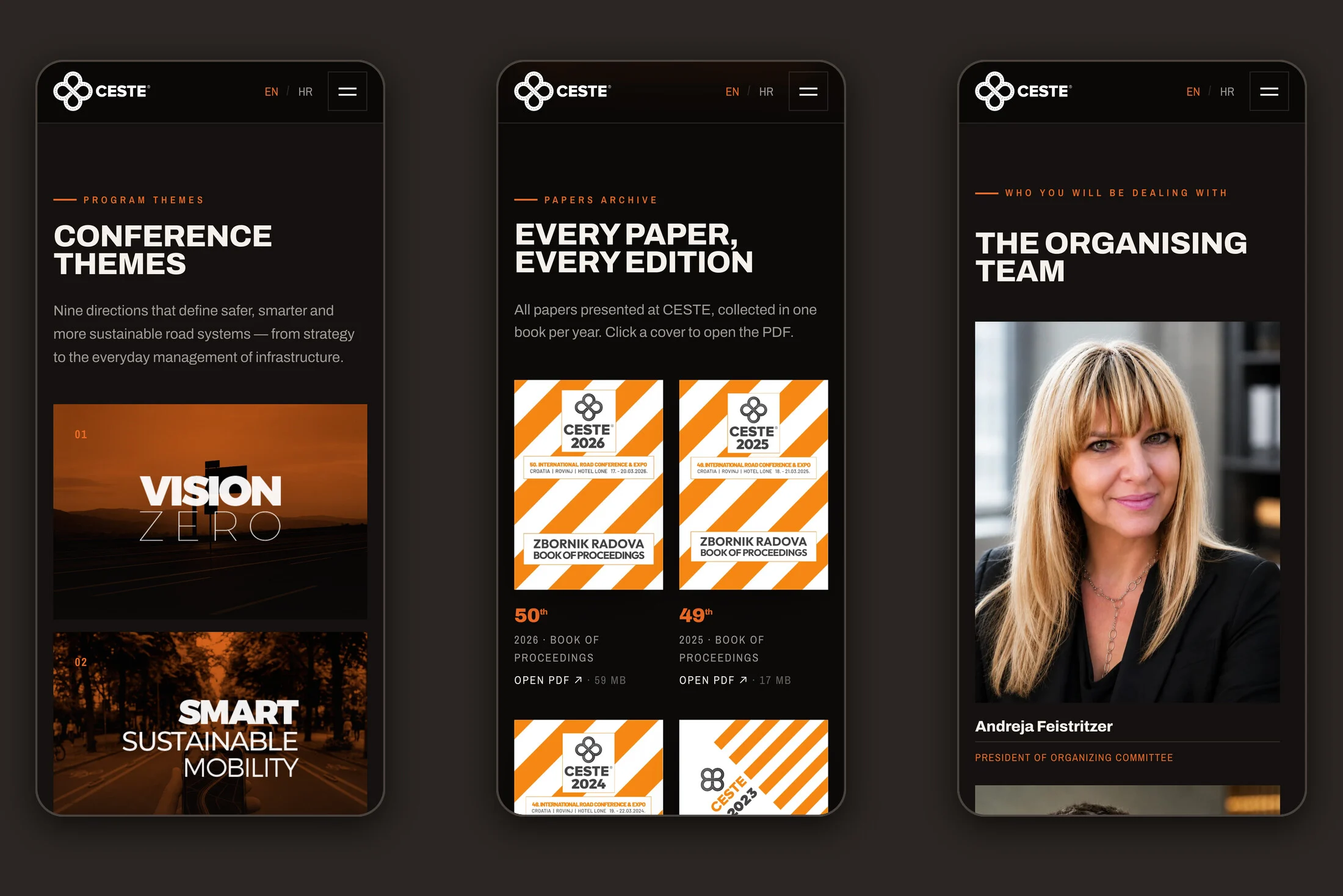
The site is built specifically for phones. The menu opens full screen, the fee and sponsorship tables turn into cards on a narrow display, and the registration form is comfortable to fill in with a thumb. Everything exists in Croatian and English at the same addresses, and the language switches with one click without reloading the page.
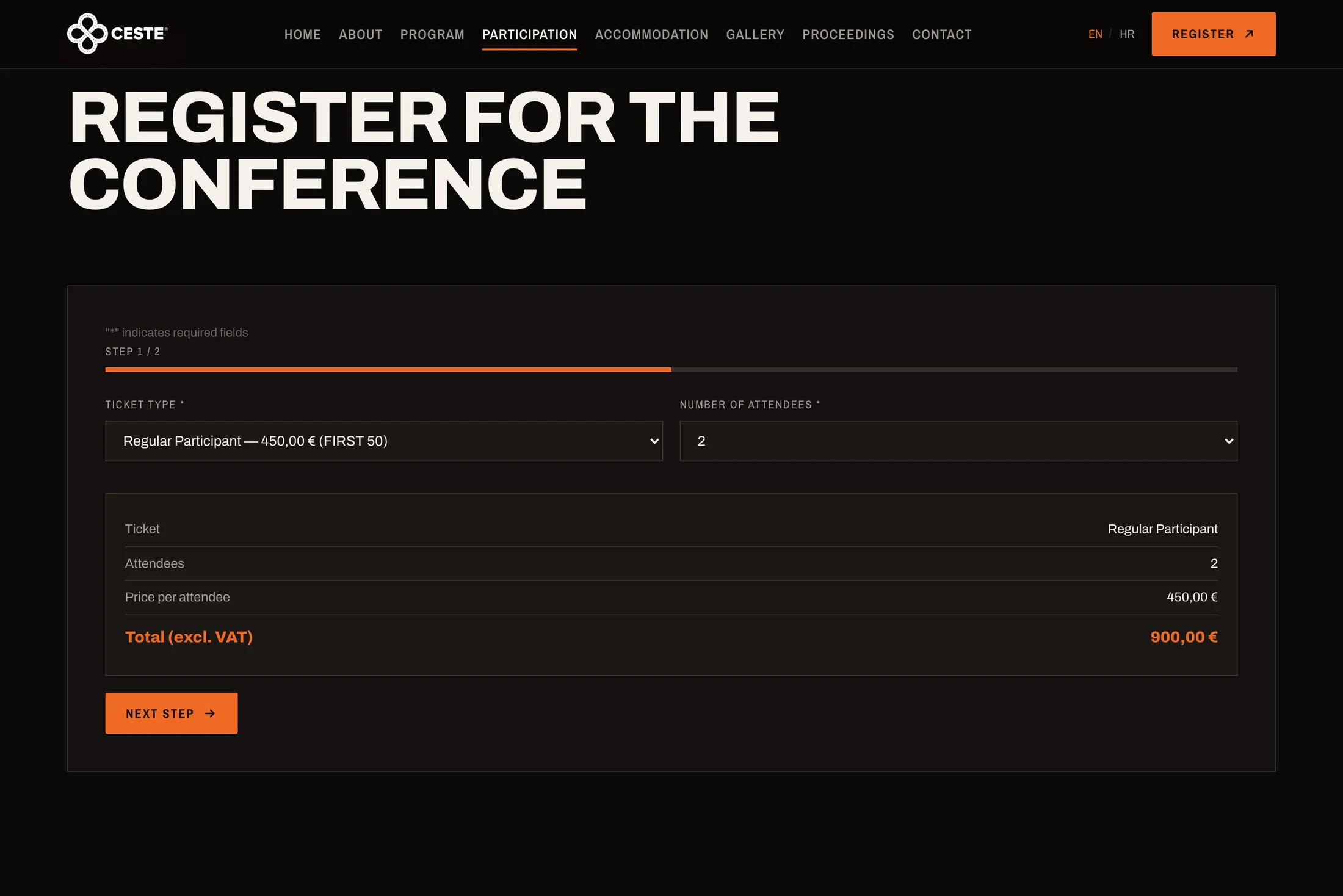
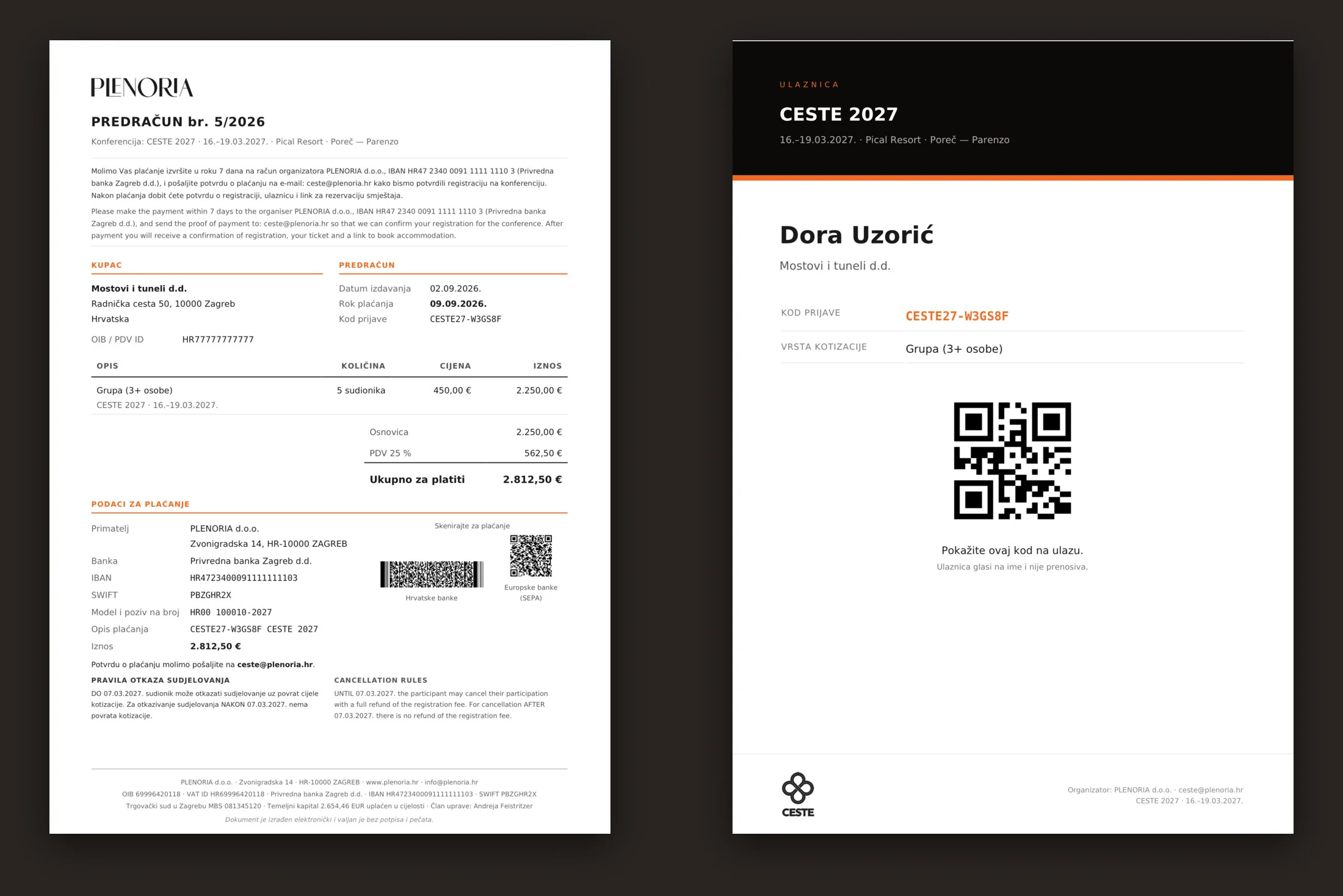
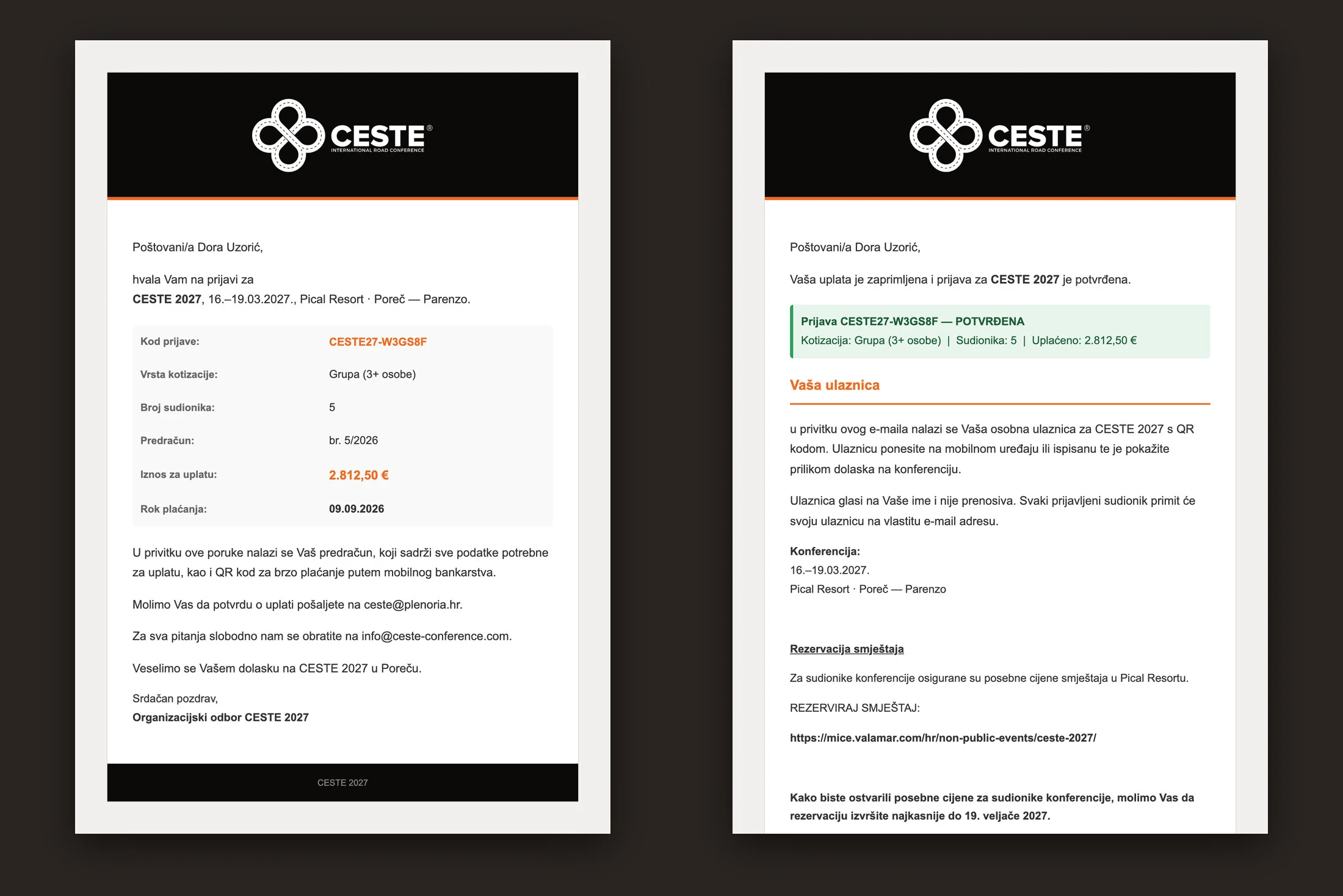
The real work starts when someone registers. An attendee picks a ticket type and the number of people, and the amount is calculated as they choose. When the registration is sent, the system issues a numbered proforma invoice and e-mails it. VAT follows the company's country, so a company from another EU member state receives a reverse-charge proforma. The proforma carries two payment QR codes, one for Croatian banks and one for European banks, so paying means scanning rather than copying an IBAN. Once the organiser marks the payment as received in the admin, each attendee receives their own ticket with a personal QR code. Whoever registered a whole group gets all the tickets at once to hand out to colleagues.
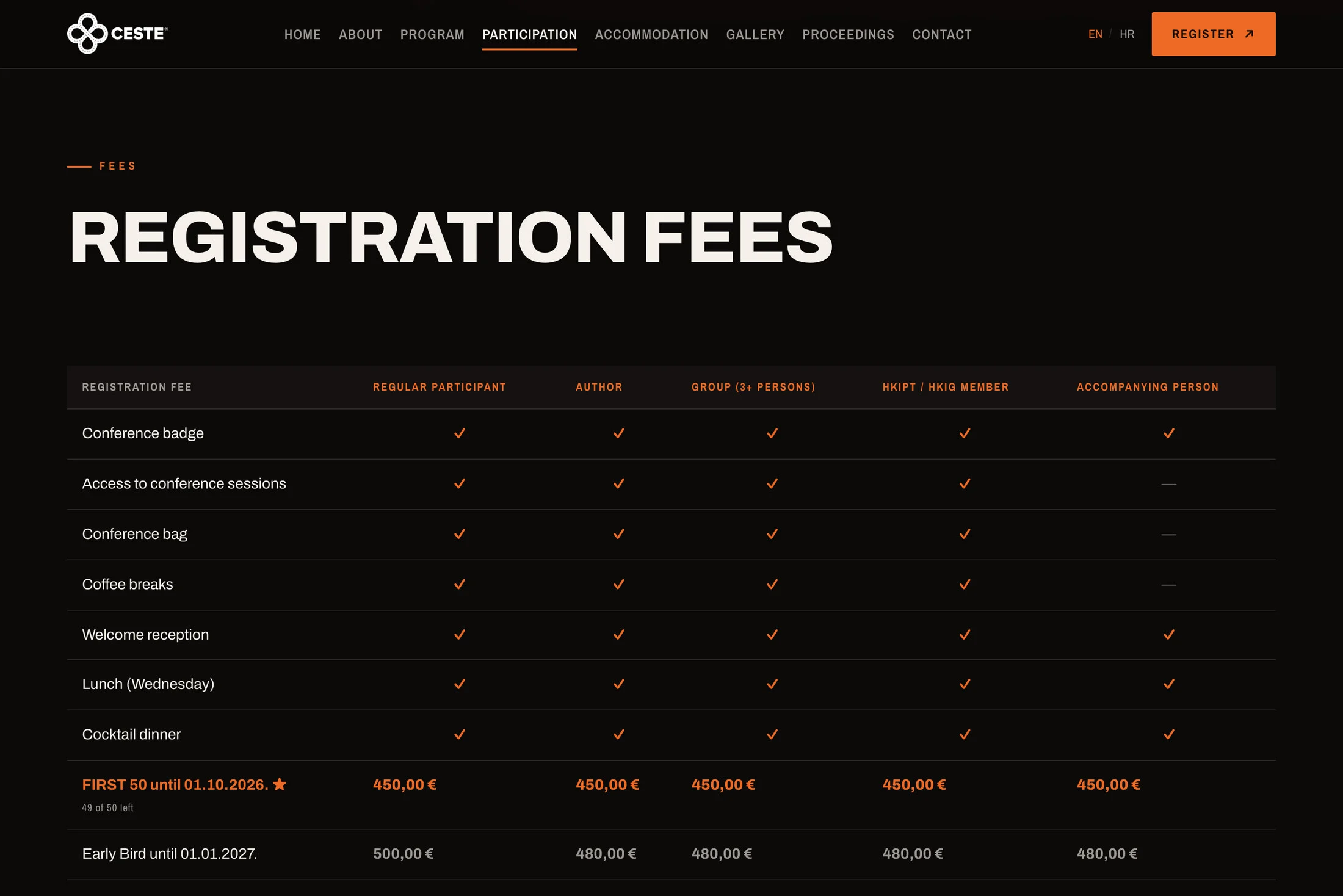
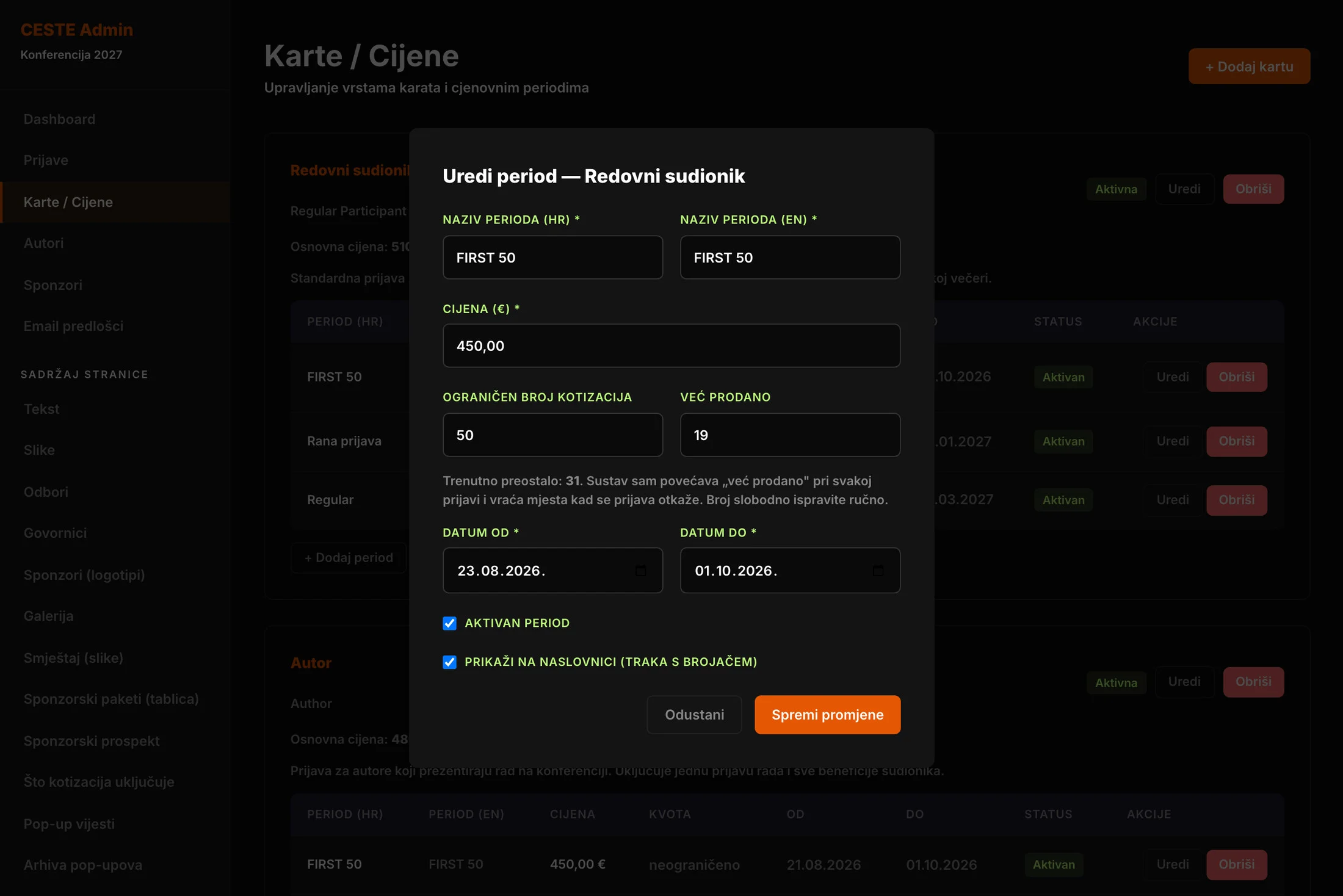
Prices change on their own. A ticket has pricing periods such as a special offer, early bird and the regular fee, and the site applies whichever is valid that day. The FIRST 50 offer is limited not only by date but by the number of places. The system counts sold tickets, returns a place when a registration is cancelled, and switches the offer off by itself when the places run out or the deadline passes. The offer banner on the homepage also appears and disappears on its own, without anyone having to turn it on or off.
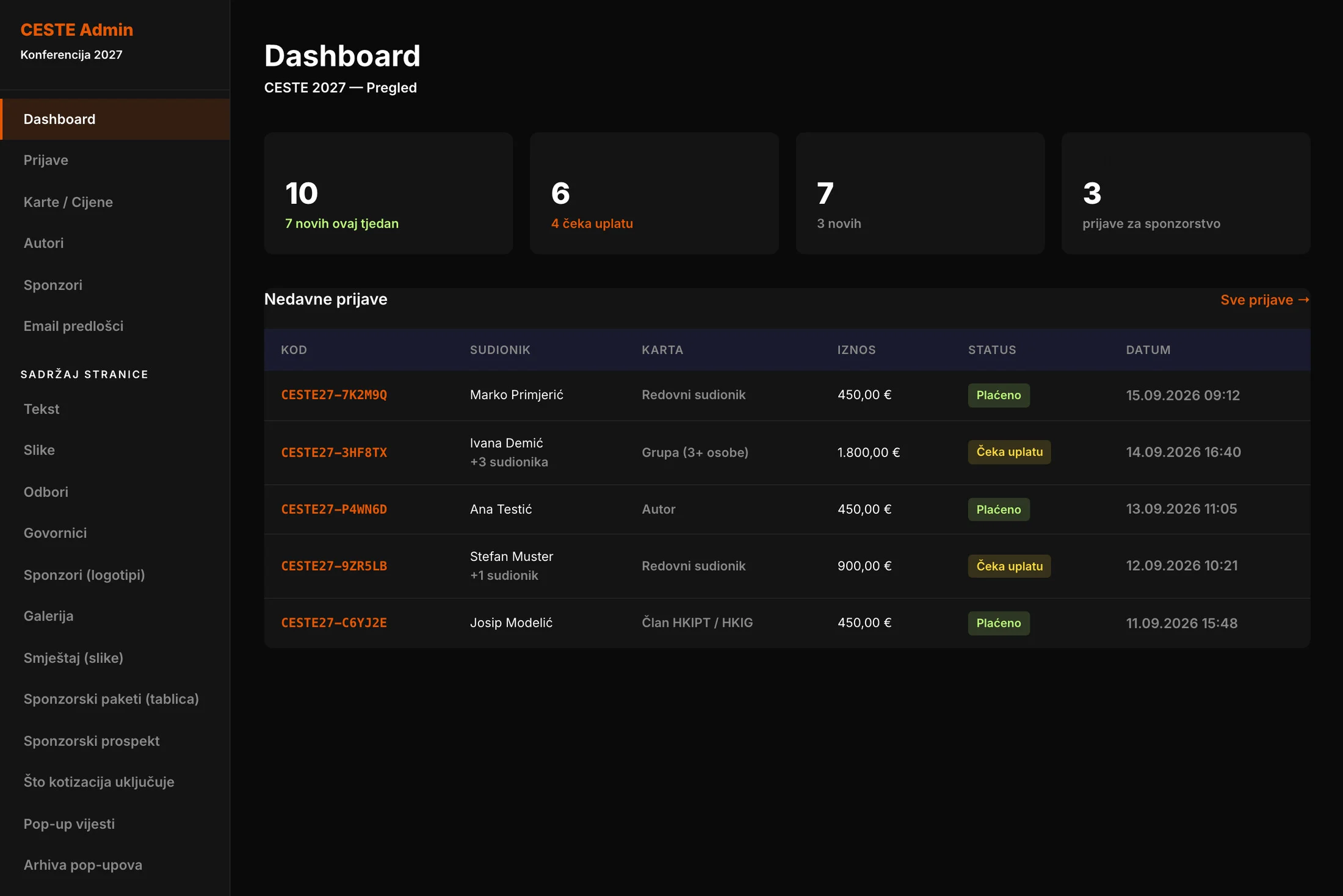
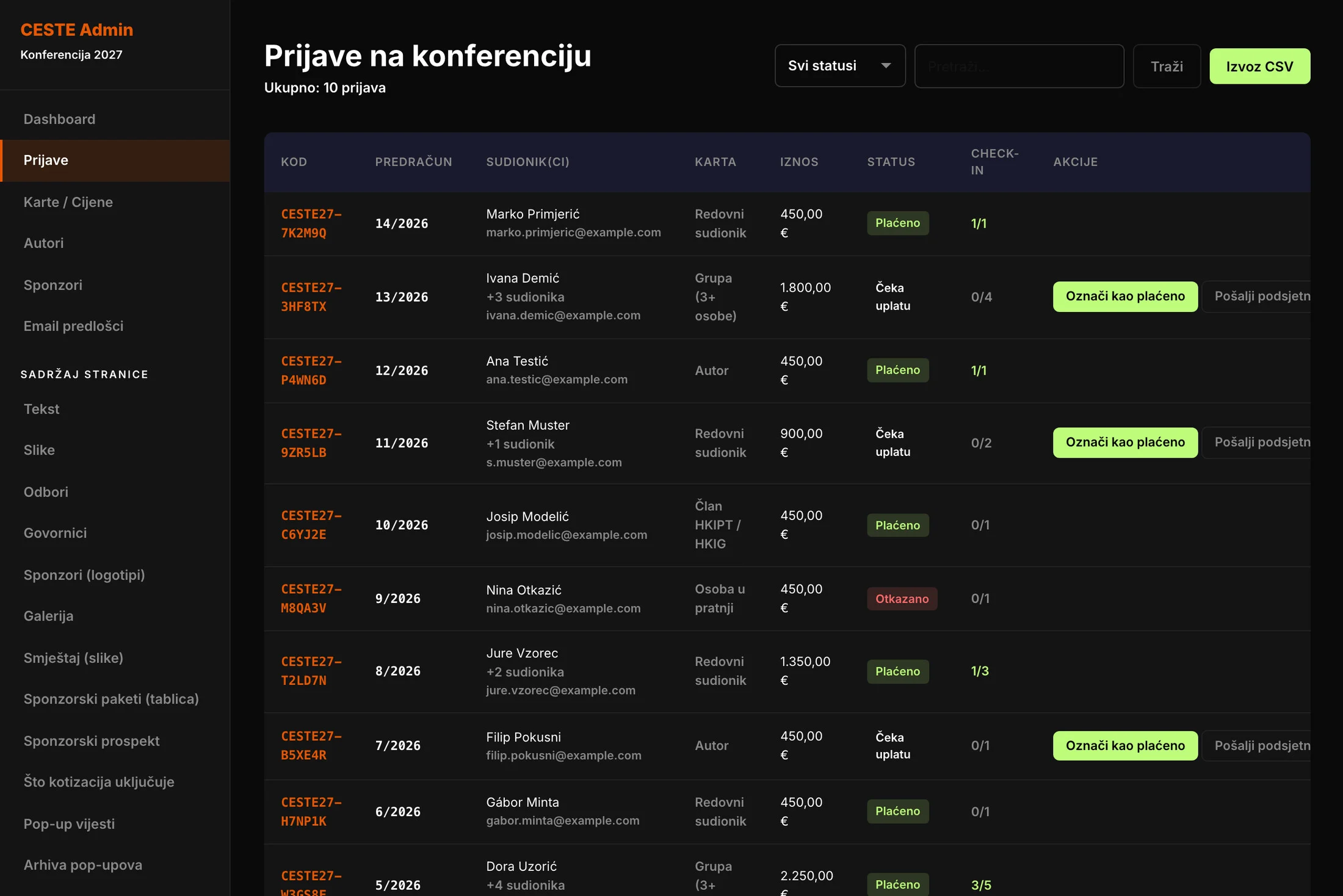
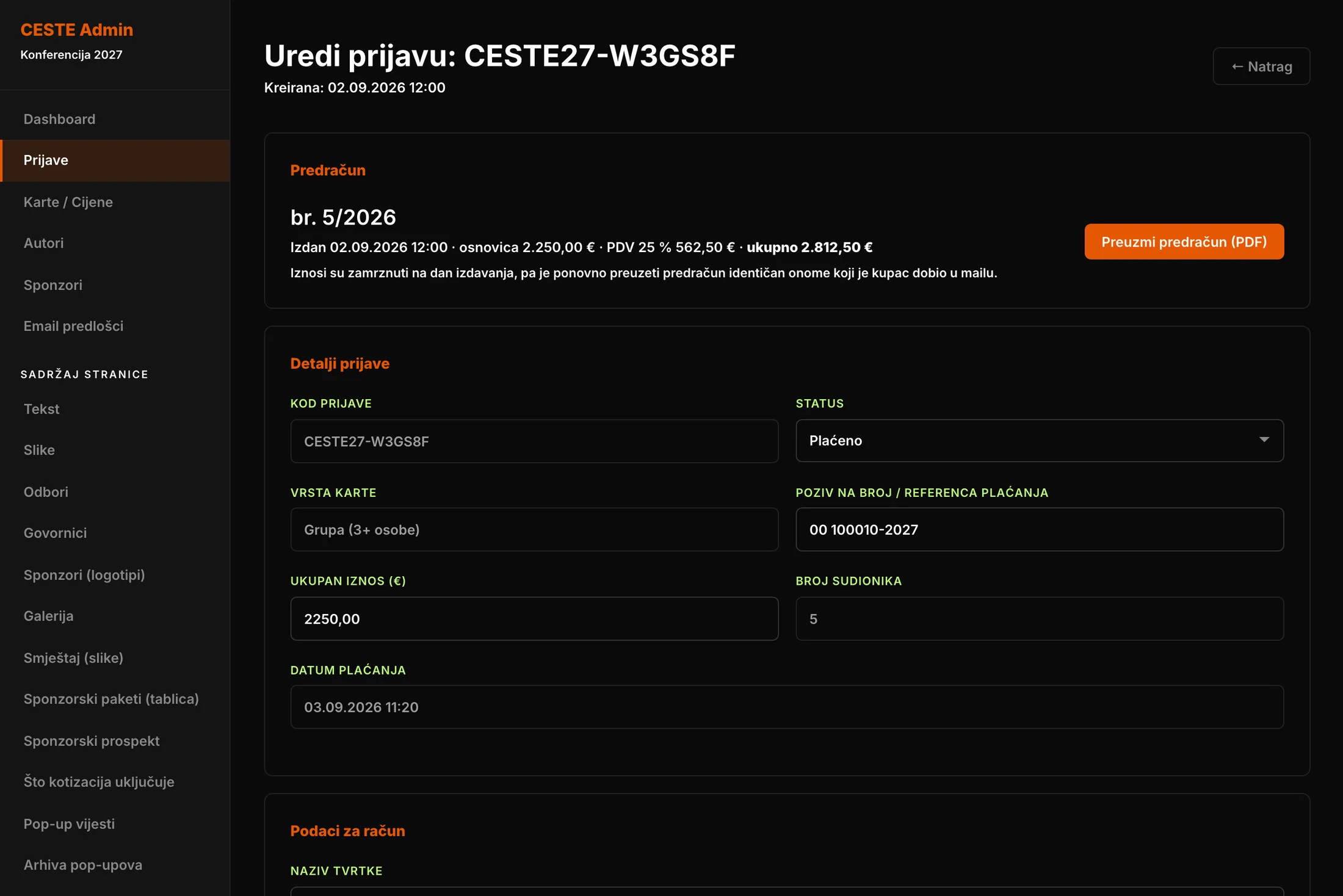
For Andreja Feistritzer and her team, the admin is the conference's workbench. The home screen shows the state of registrations and payments. The registration list has filters, search, export to Excel and a one-click payment reminder. Inside a registration they edit the company and attendee details and can download the proforma again exactly as the customer received it. Amounts on an issued proforma are frozen, so a later price change never alters a document that has already been sent.
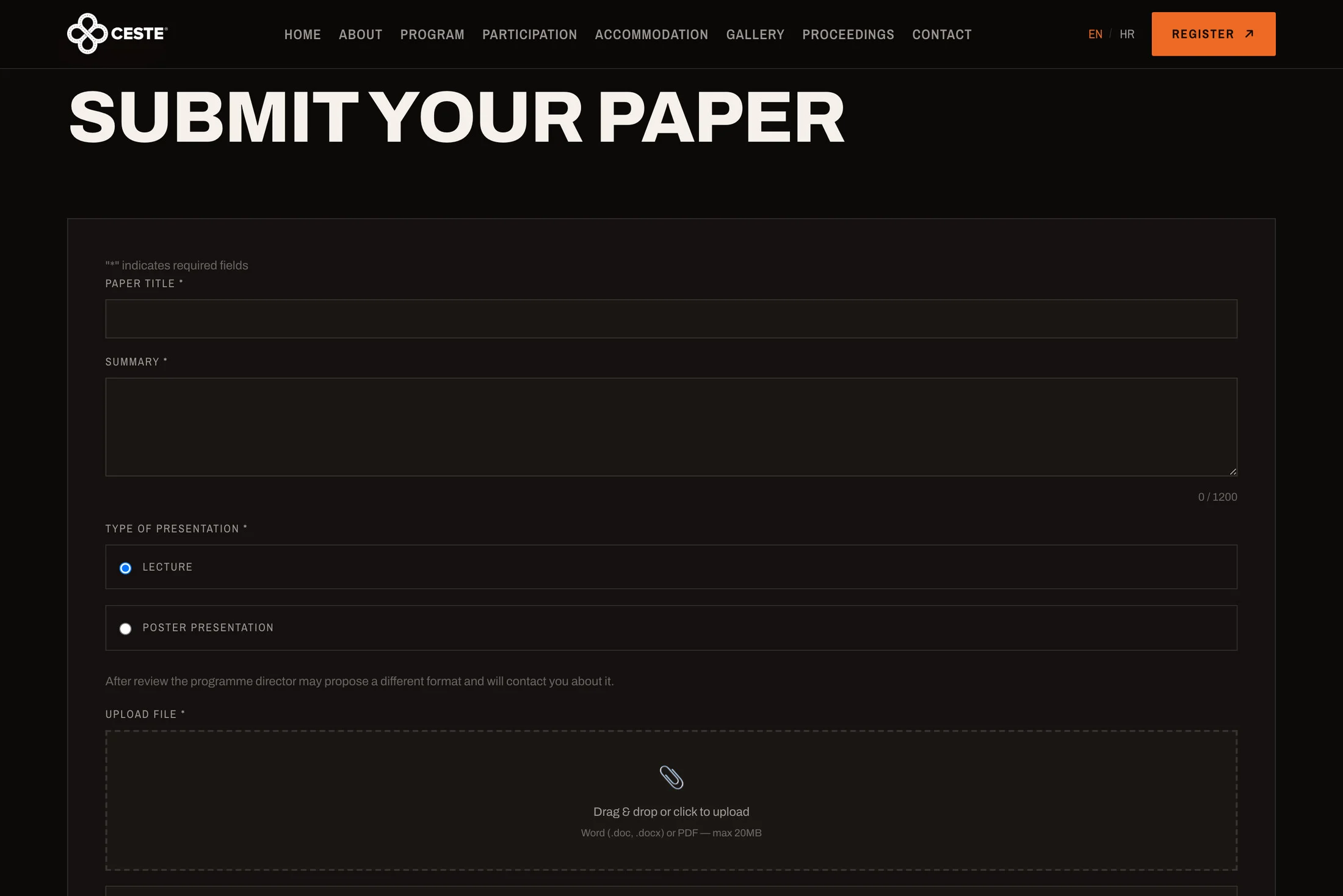
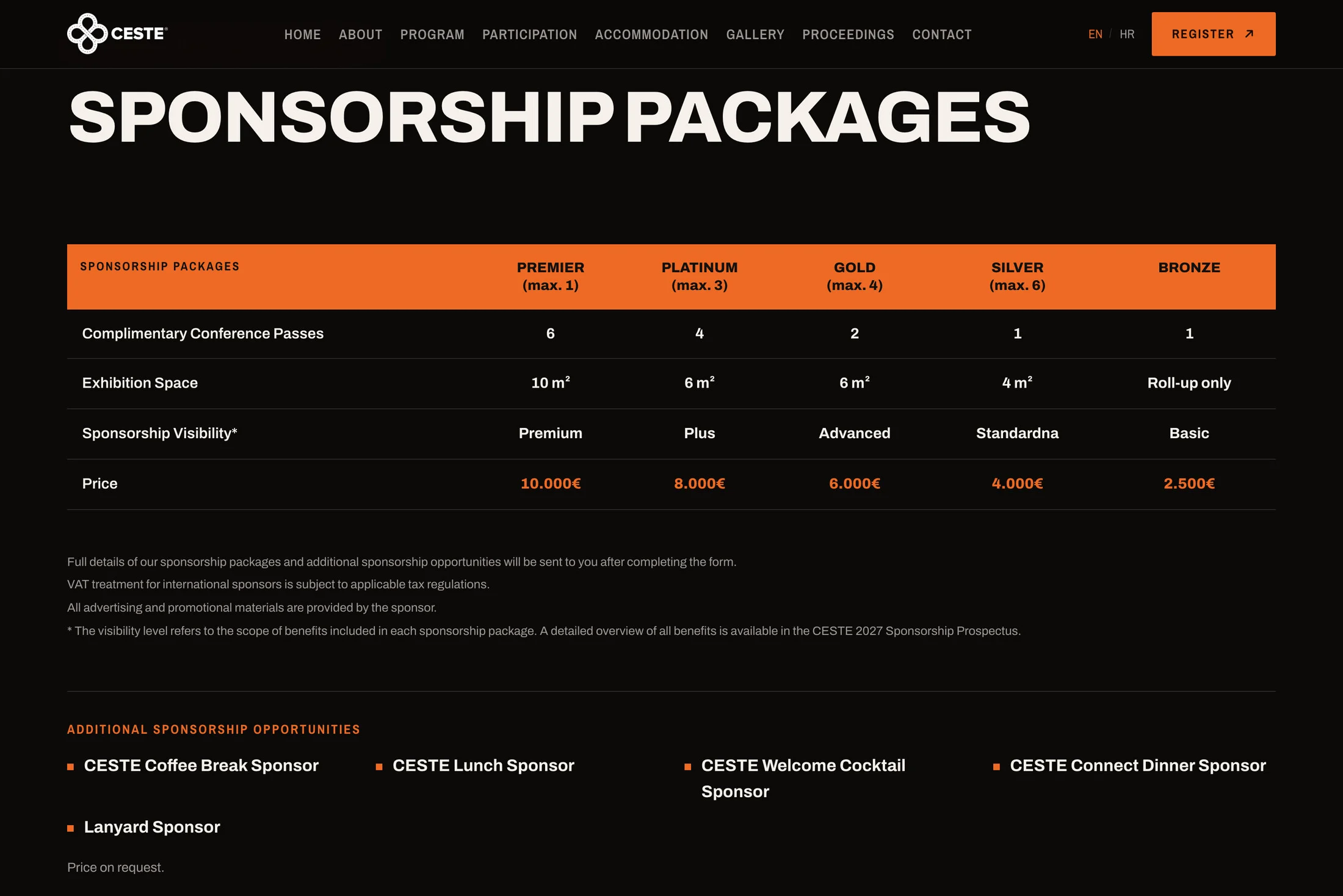
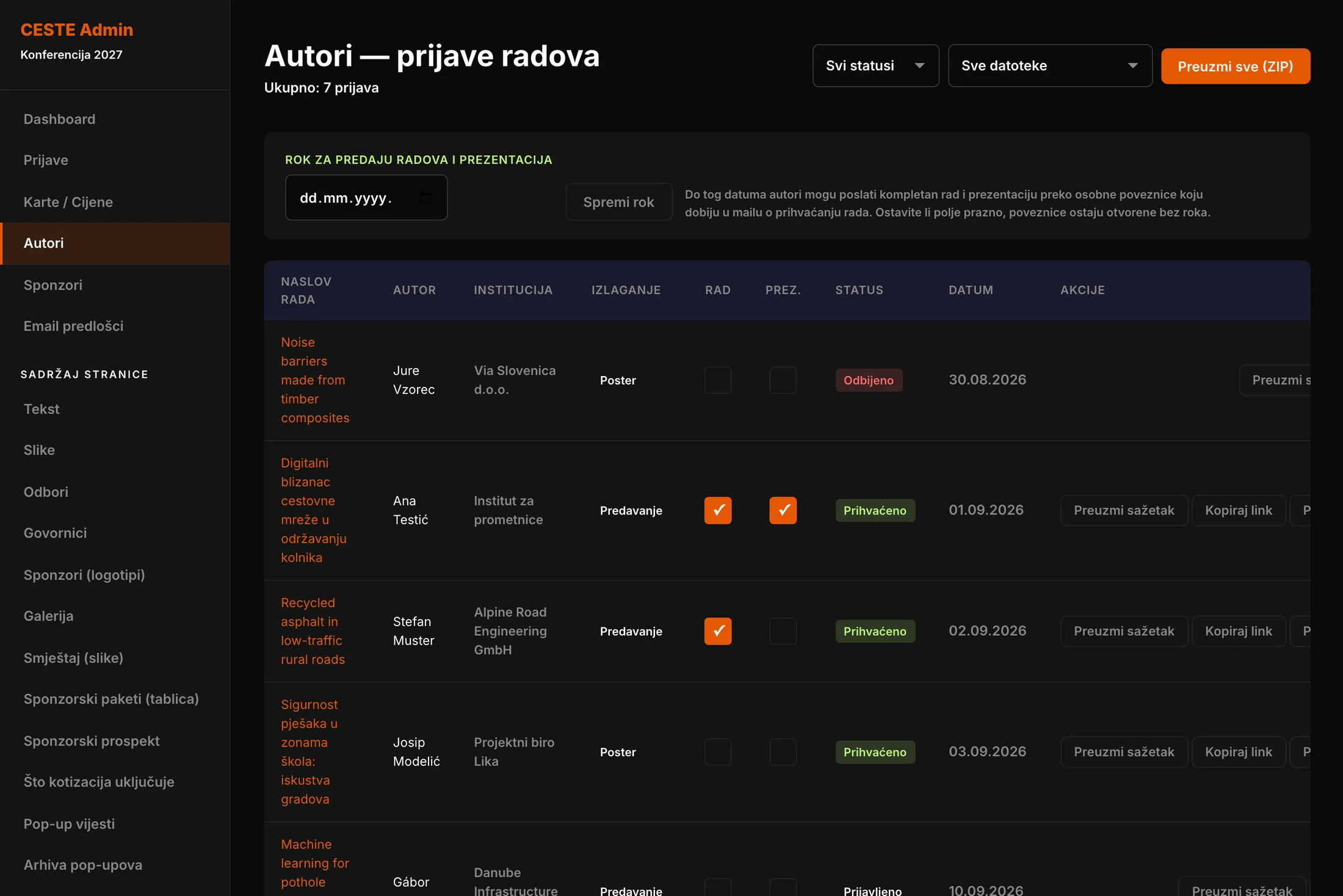
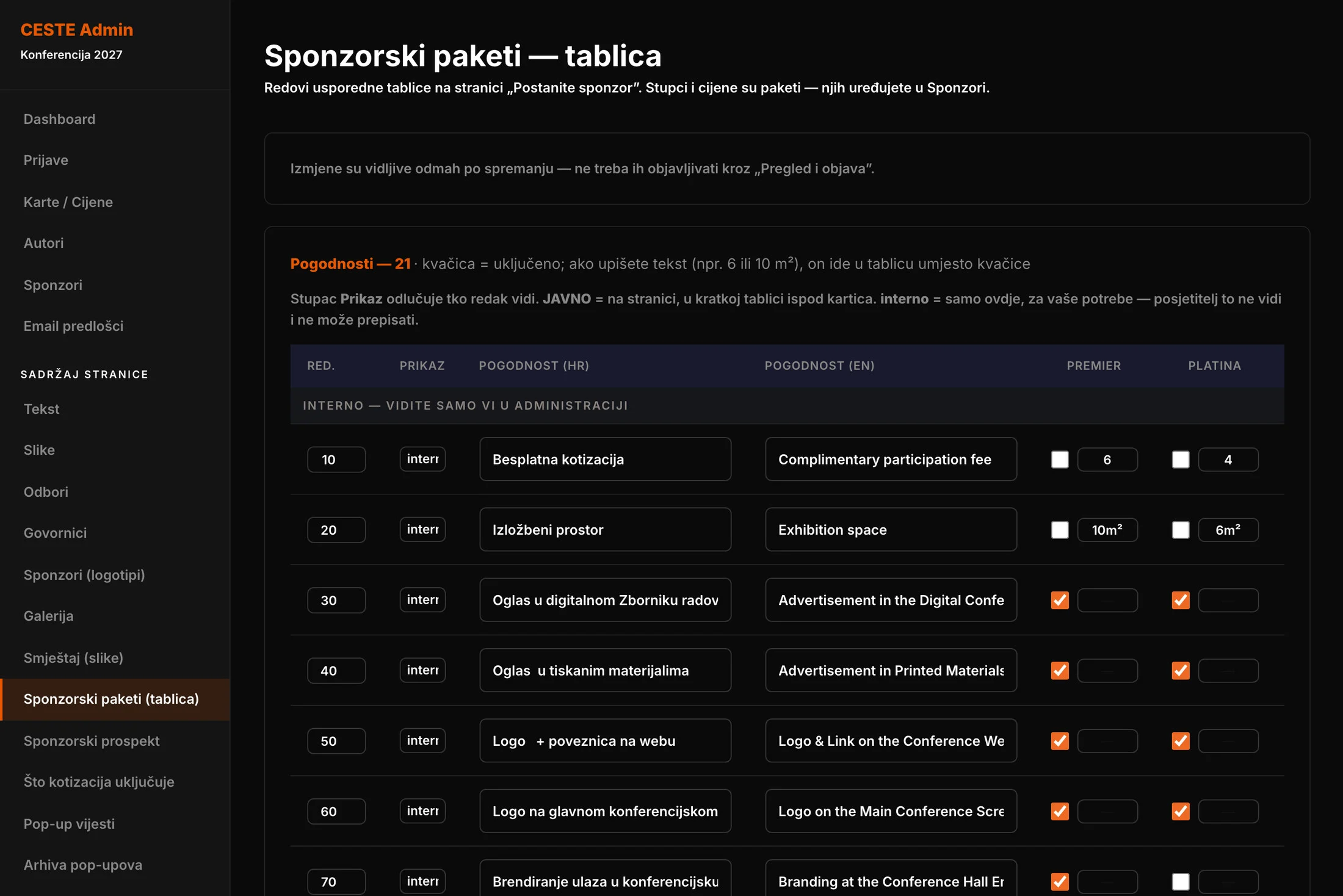
Two workflows that used to live in e-mail now run through the site. Authors submit their abstract through a form, and the organiser accepts or rejects it in the admin with one click. The author automatically receives the matching e-mail and, if the paper is accepted, a link for uploading the full paper and presentation. The list shows at a glance what has arrived, and everything for the proceedings downloads with a single button. For sponsors the site shows a comparison of packages, while the detailed prospectus goes to whoever requests it. That contact is added to Mailchimp with the right tag, ready for the next campaign.
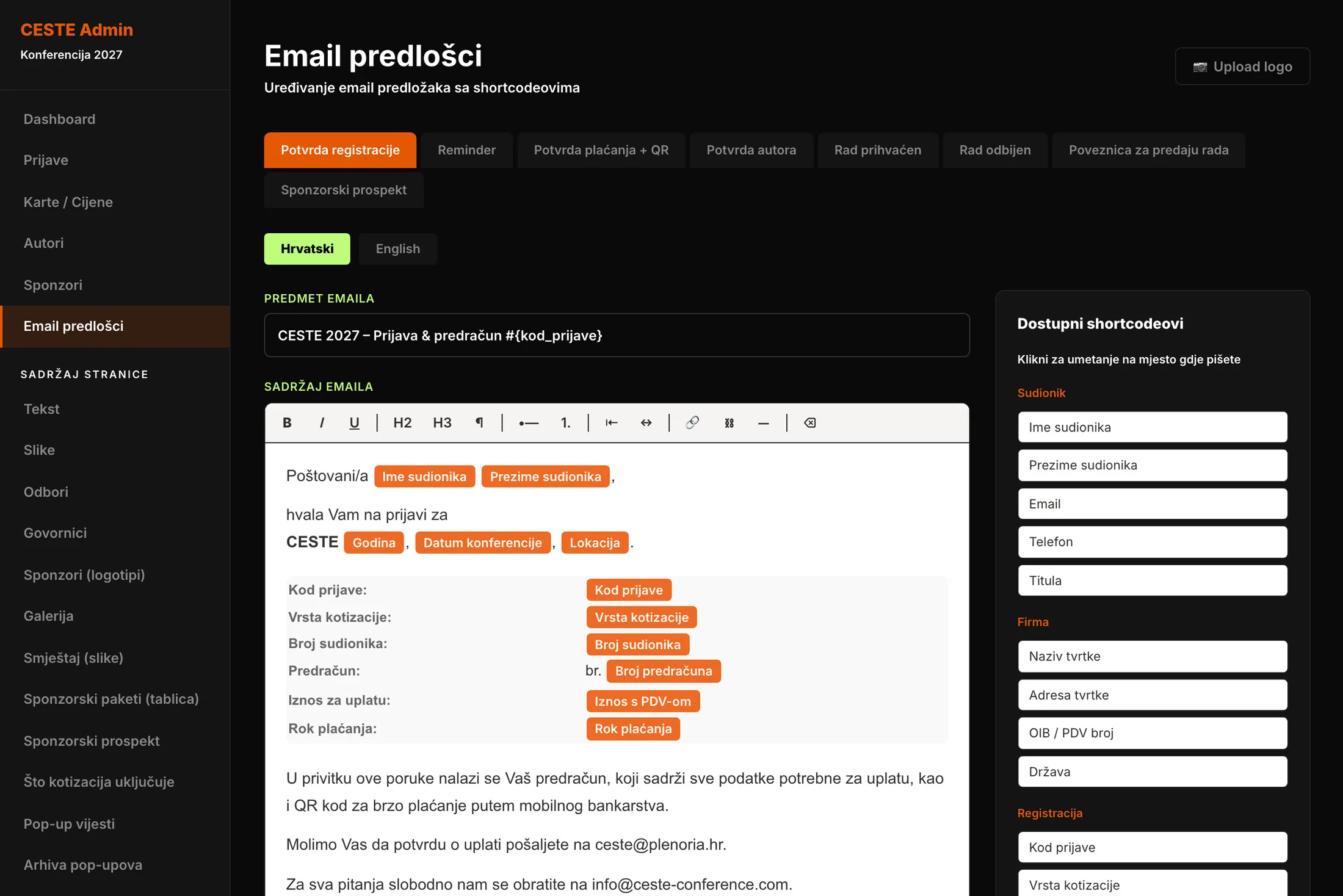
Every automatic e-mail, from the registration confirmation and payment reminder to the ticket and the decision on a paper, has a template in both languages that the organiser edits herself. The attendee's name, the registration code or the amount go into the template as labelled chips rather than technical codes someone could delete by accident. Before a template goes out to attendees, the organiser can send it to herself as a test.
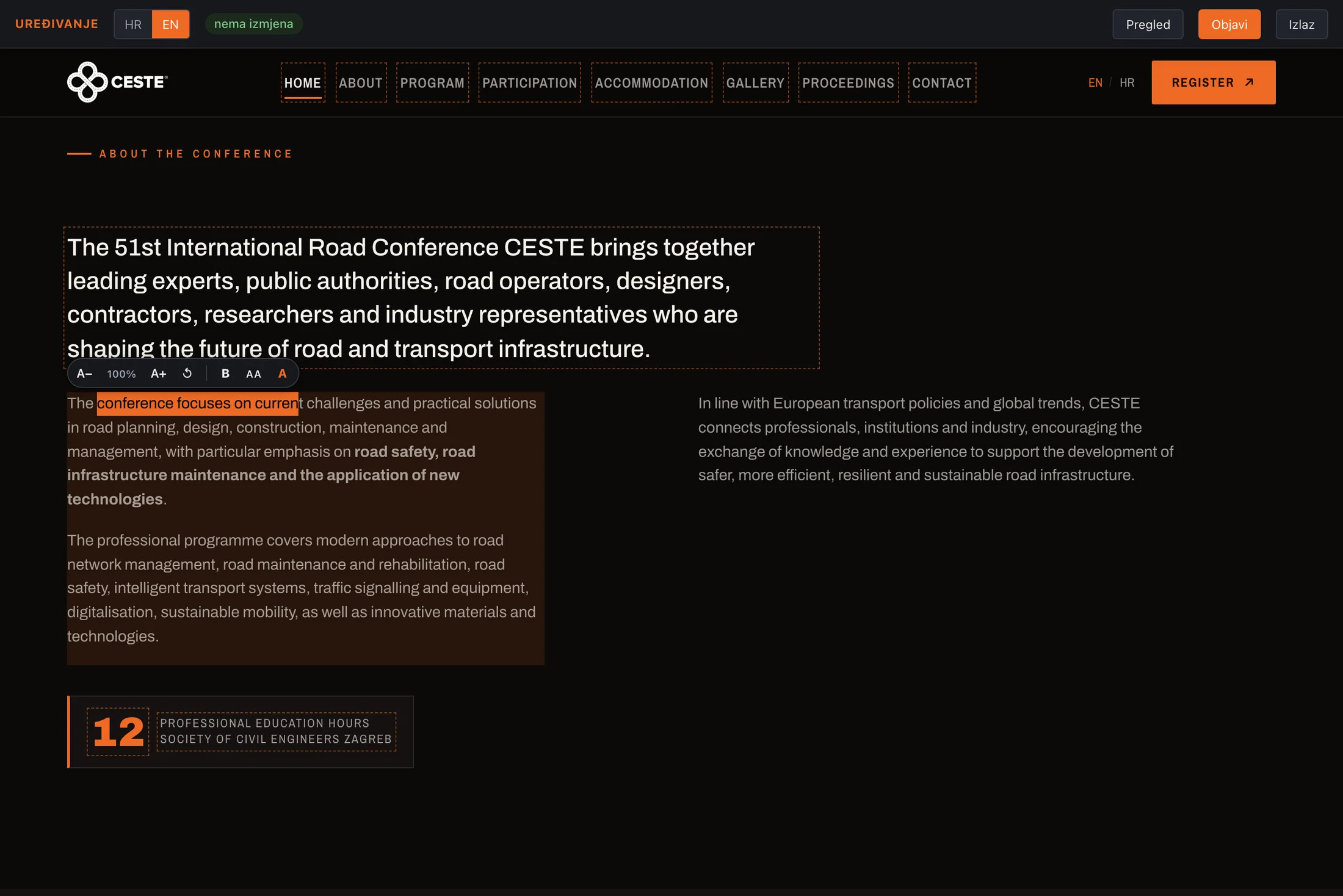
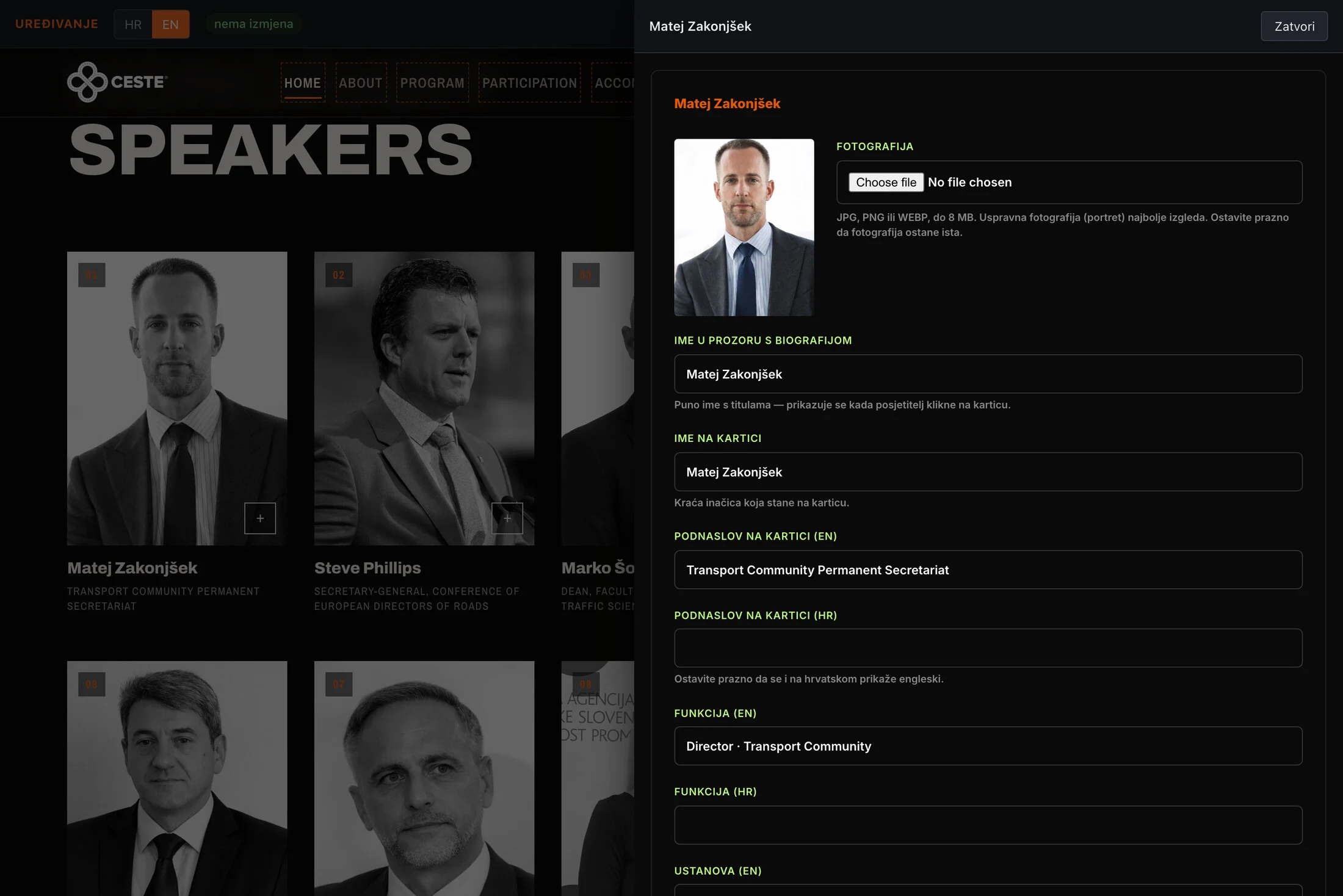
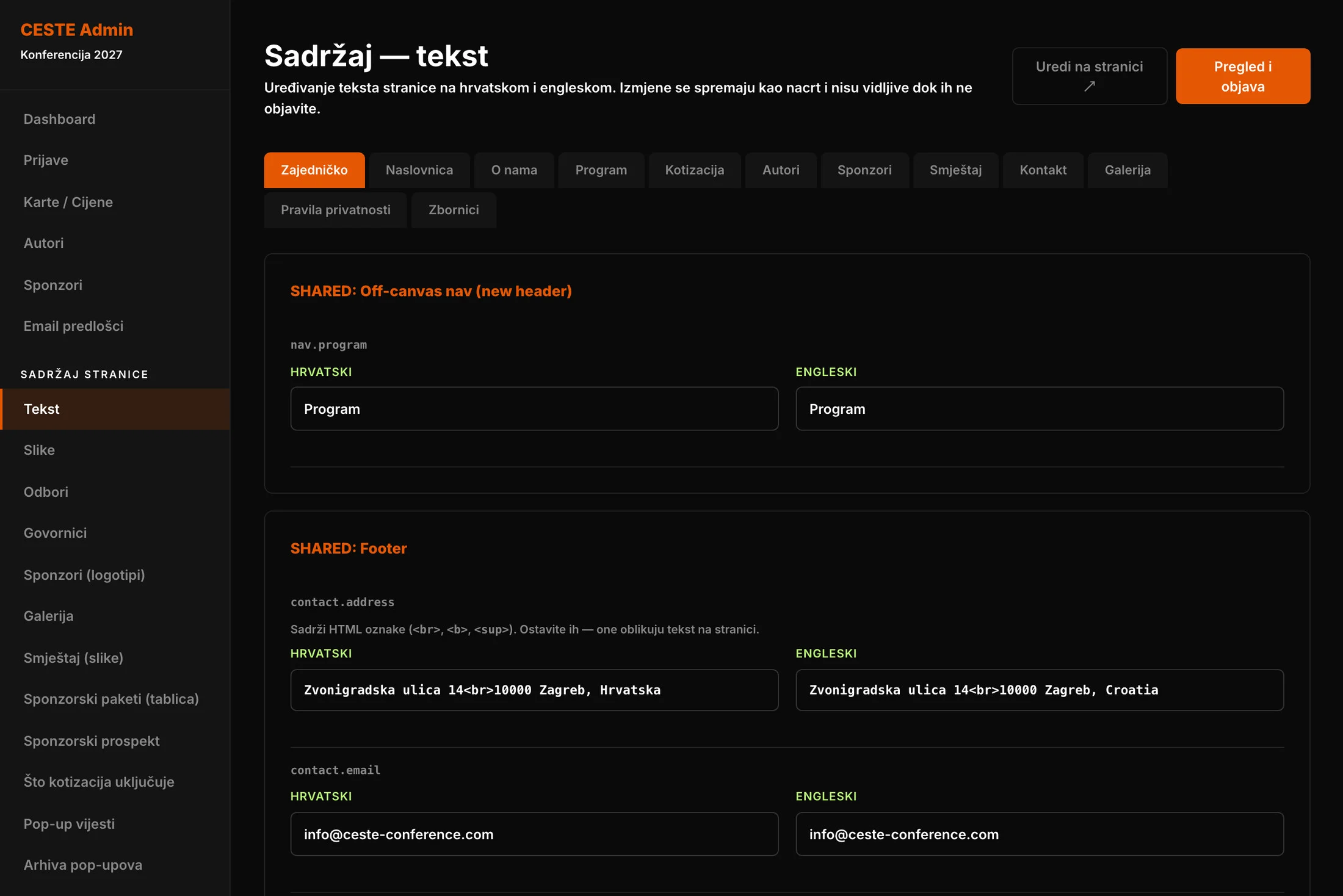
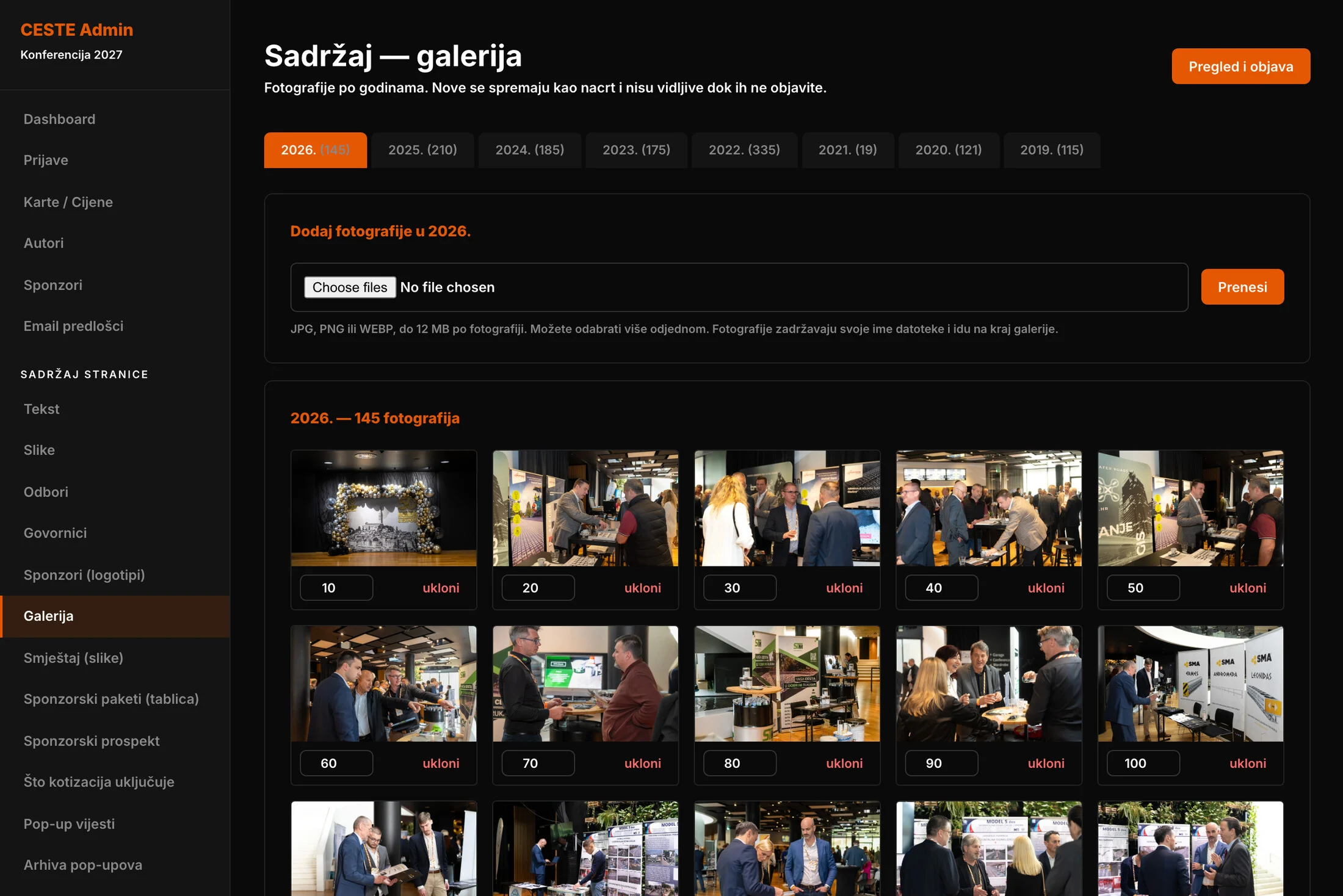
The site's content is edited on the site itself. The organiser doesn't need to know which corner of the admin holds a particular sentence. She opens the page in edit mode, clicks on the text and types, in Croatian or English. She can make a word bold, colour it orange or enlarge a headline. Hovering over a photograph lets her replace it, and clicking on a speaker opens their form without leaving the page. For those who prefer working through lists, the admin has separate screens for texts, images, speakers, sponsors, galleries, committees, the fee and sponsorship tables, accommodation and pop-up notices. Pop-up notices are kept in an archive, so next year they come back with one click instead of being written again.
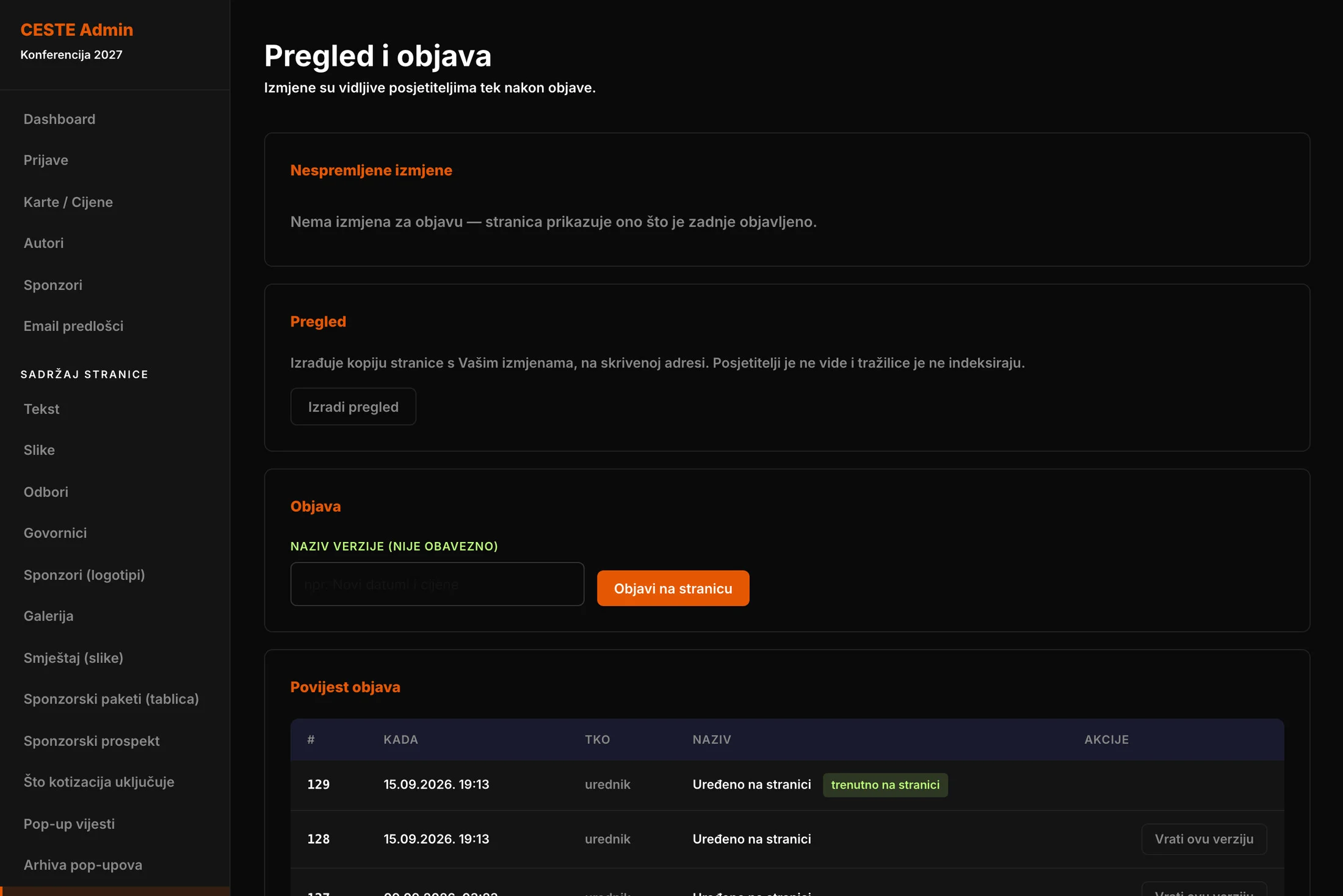
No change goes straight to visitors. Everything the organiser edits is a draft first. She can preview it at a hidden address, publish when she is happy and roll back to any earlier version of the site with one click. The client can edit freely without being afraid of breaking something.
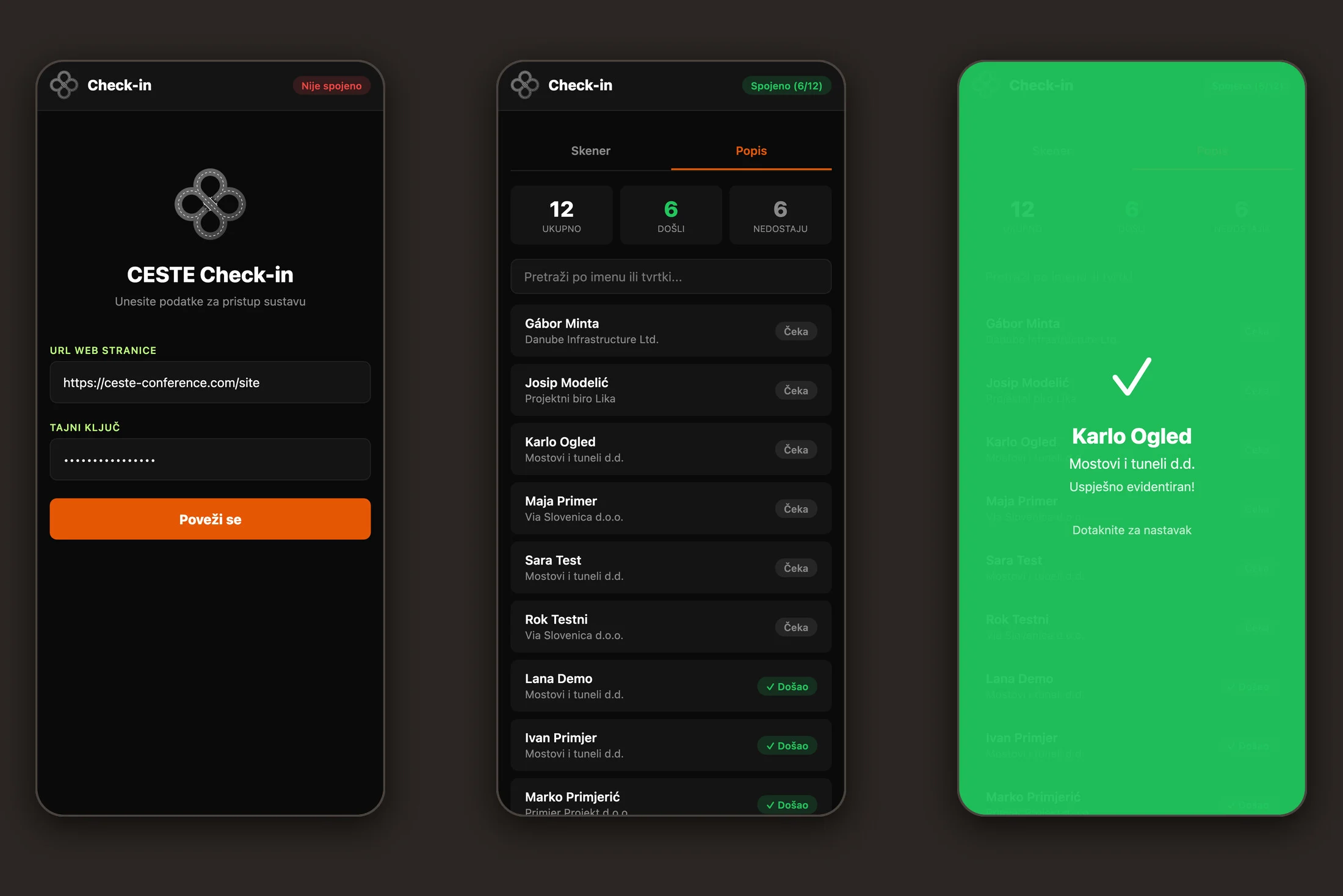
The story ends at the door of the conference hall. Staff open the check-in app on a phone, connect it with the key for their entrance and scan the QR code on the ticket. A green screen means the attendee is checked in. A yellow one means the ticket has already been used, with the time it happened. The list shows who has arrived and who is still missing, and every entrance has its own key that can be switched off in the admin.
Part of the work doesn't show up in any screenshot. The site was moved off the old WordPress without losing search traffic. The admin and the forms are protected against common attacks, the database and uploaded files are copied to another server every week, and visits are measured without cookies, so the site needs no cookie banner. Alongside the system I wrote an admin manual. I led the whole cycle on this project: design, building the site and the admin, documents and e-mails, the move to new hosting and the hand-over to the client. Plenoria now runs the conference from one place, and the website does the work that used to take e-mails, spreadsheets and a lot of retyping.
Technologies: The site is hand-written HTML, CSS and JavaScript with no framework, set in Archivo, with a bilingual layer that switches language without a reload. The admin and API run on PHP 8 and MySQL. Proforma invoices and tickets are generated as PDFs with Dompdf, with payment QR codes to the Croatian HUB3 and European EPC standards. E-mails go out through a custom SMTP client with attachments and templates edited in a rich-text editor. There is also a Mailchimp API integration, a check-in web app with a QR scanner, cookie-free Umami analytics and an automatic weekly backup.
Names of people and companies shown in the admin, proforma invoice, ticket, e-mail and check-in app screenshots are fictitious and used for illustration only.